Ein Bild hinzufügen
Sie können allen Abschnitten des Kandidatenpakets ein Bild hinzufügen, außer FAQ und Job-Fakten.
So fügen Sie ein Bild hinzu:
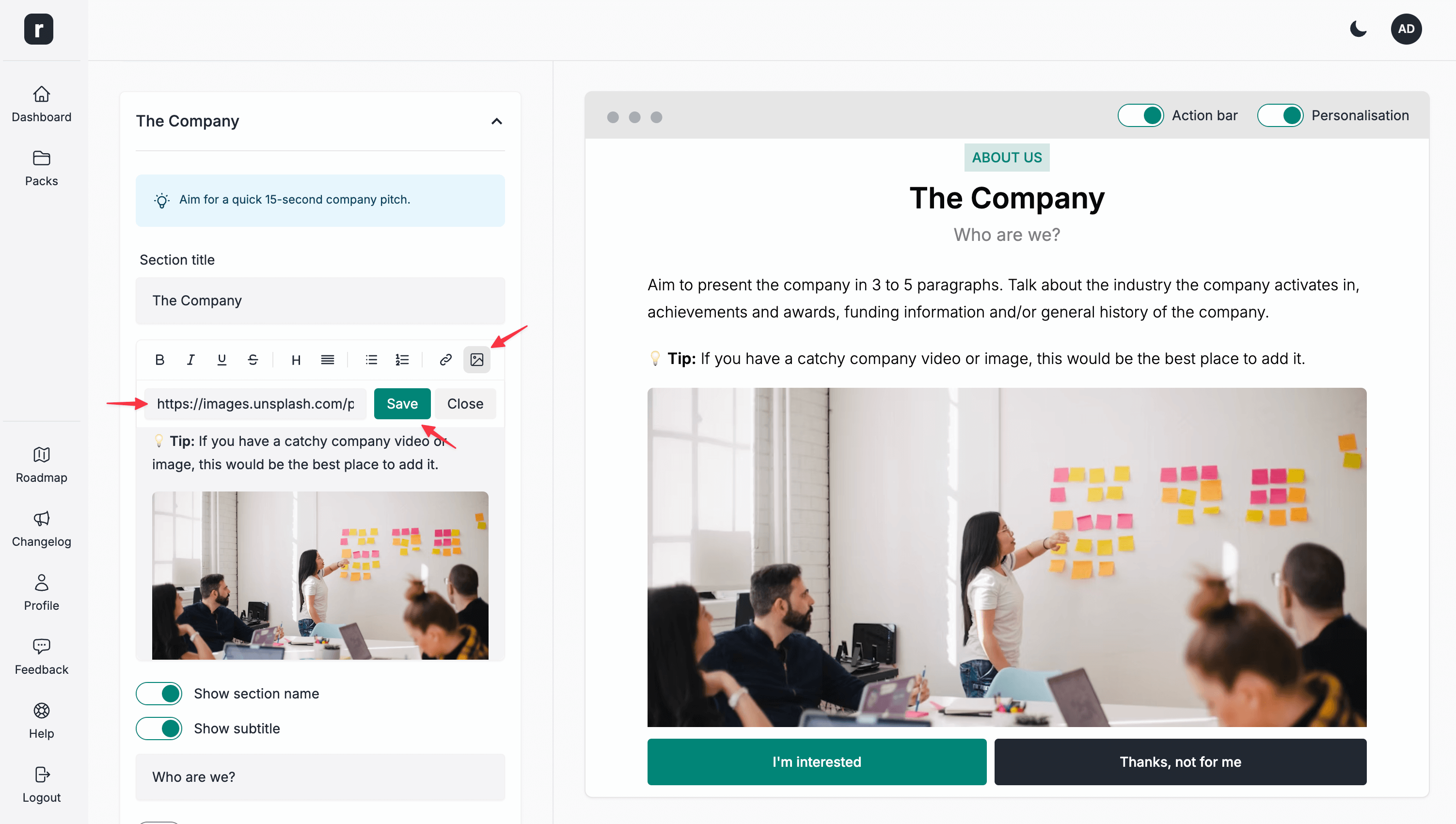
- Klappen Sie den Abschnitt auf, dem Sie ein Bild hinzufügen möchten.
- Klicken Sie in der Symbolleiste für die Textformatierung auf das Bildsymbol.
- Fügen Sie die URL des Bildes ein, das Sie in diesen Abschnitt einfügen möchten.
- Klicken Sie auf die Schaltfläche
Save. - Klicken Sie nach Abschluss der Bearbeitung des Abschnitts auf die Schaltfläche
Speichern & Weiter.