Añadir títulos, etiquetas y botones personalizados
El editor de formularios te permite personalizar todos los aspectos de los dos formularios principales: Formulario de interés y Formulario de rechazo.
Personalizar los botones principales de llamada a la acción
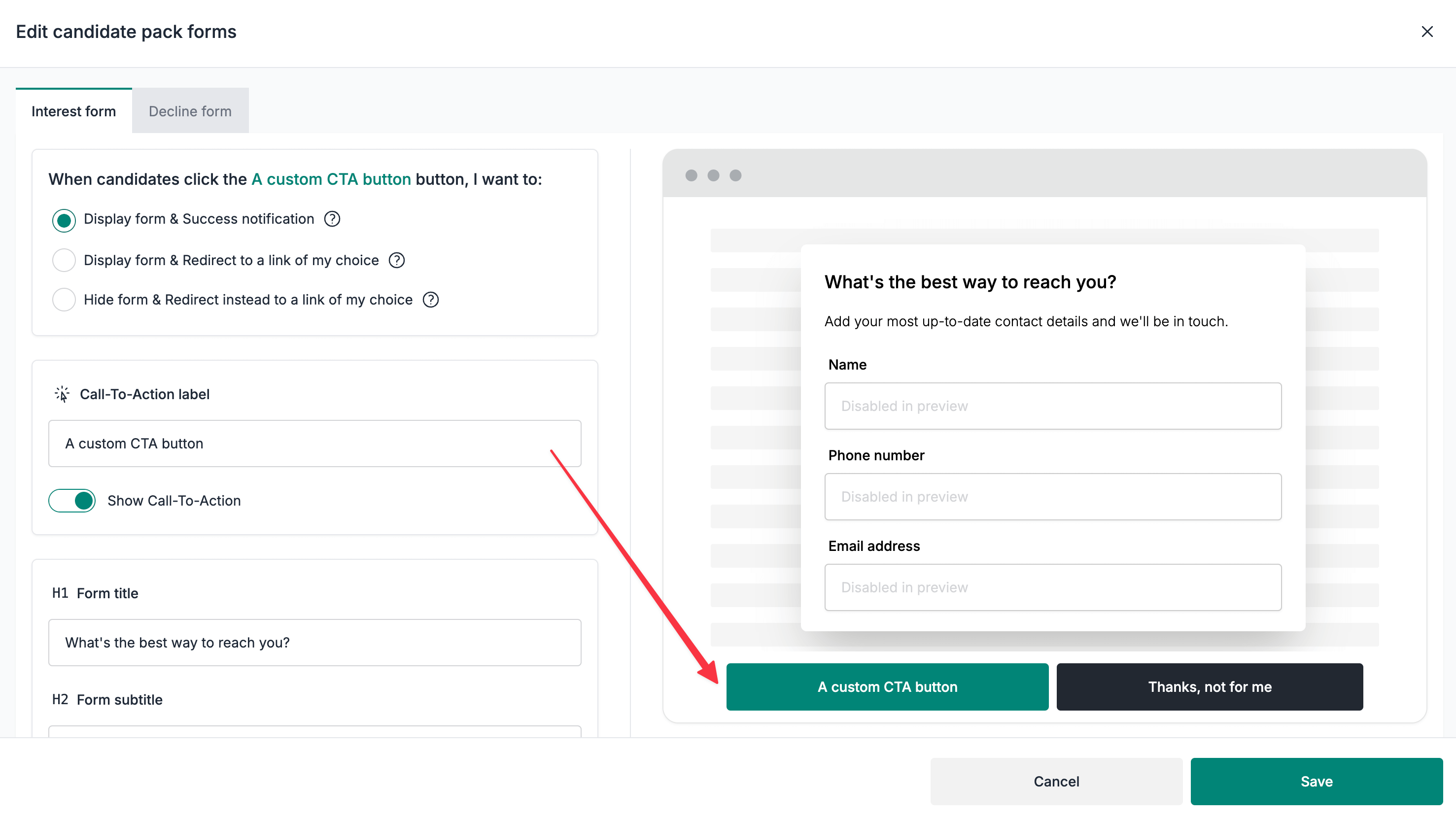
- Selecciona la pestaña
Formulario de interésoFormulario de rechazo, según lo que quieras personalizar. - Desplázate hasta la sección
Etiqueta de llamada a la accióny personaliza la etiqueta según sea necesario. - Haz clic en el botón
Guardarpara guardar los cambios.
Desactivar los botones principales de llamada a la acción
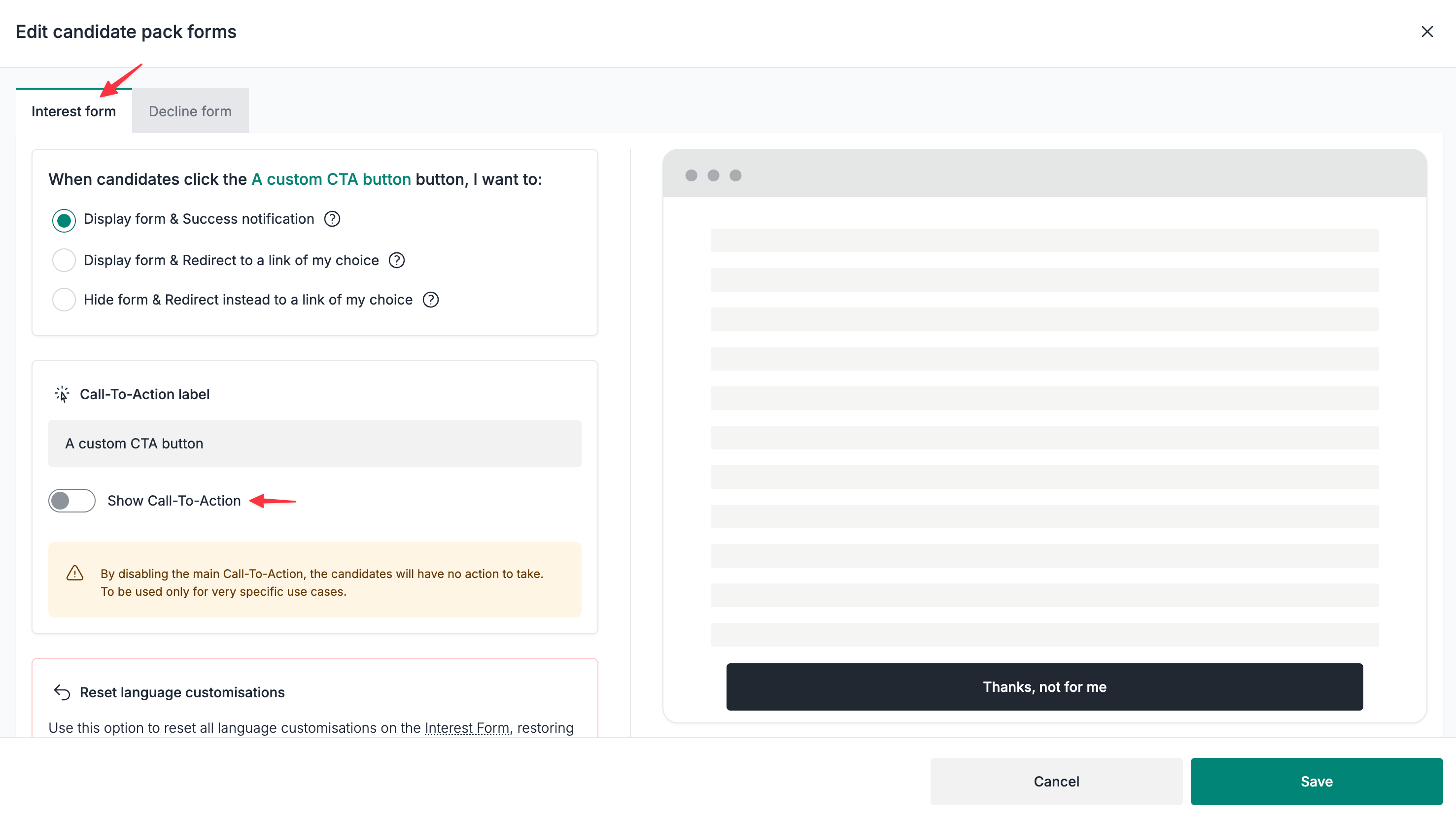
⚠️ Esta opción ocultará los botones, por lo que no se mostrarán formularios ni redirecciones. Utilízala únicamente en casos muy específicos.
- Selecciona la pestaña
Formulario de interésoFormulario de rechazo, según lo que quieras personalizar. - Desactiva
Mostrar llamada a la acciónen la secciónEtiqueta de llamada a la acción. - Haz clic en el botón
Guardarpara guardar los cambios.
Personalizar los títulos y subtítulos de los formularios
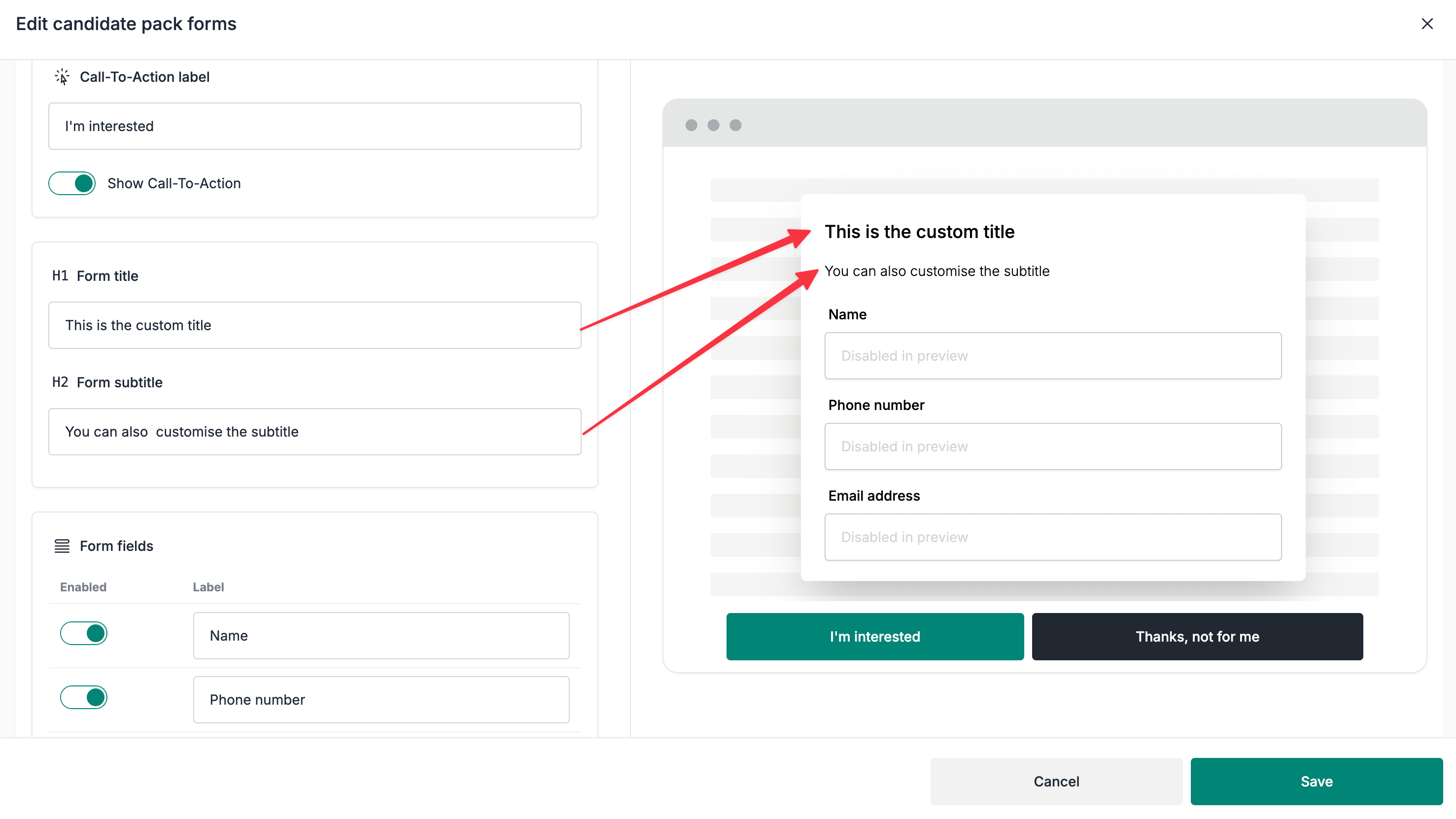
- Selecciona la pestaña
Formulario de interésoFormulario de rechazo, según lo que quieras personalizar. - Desplázate hasta las secciones
Título del formularioySubtítulo del formulario. - Haz clic en el botón
Guardarpara guardar los cambios.
Personalizar los campos de motivos de rechazo
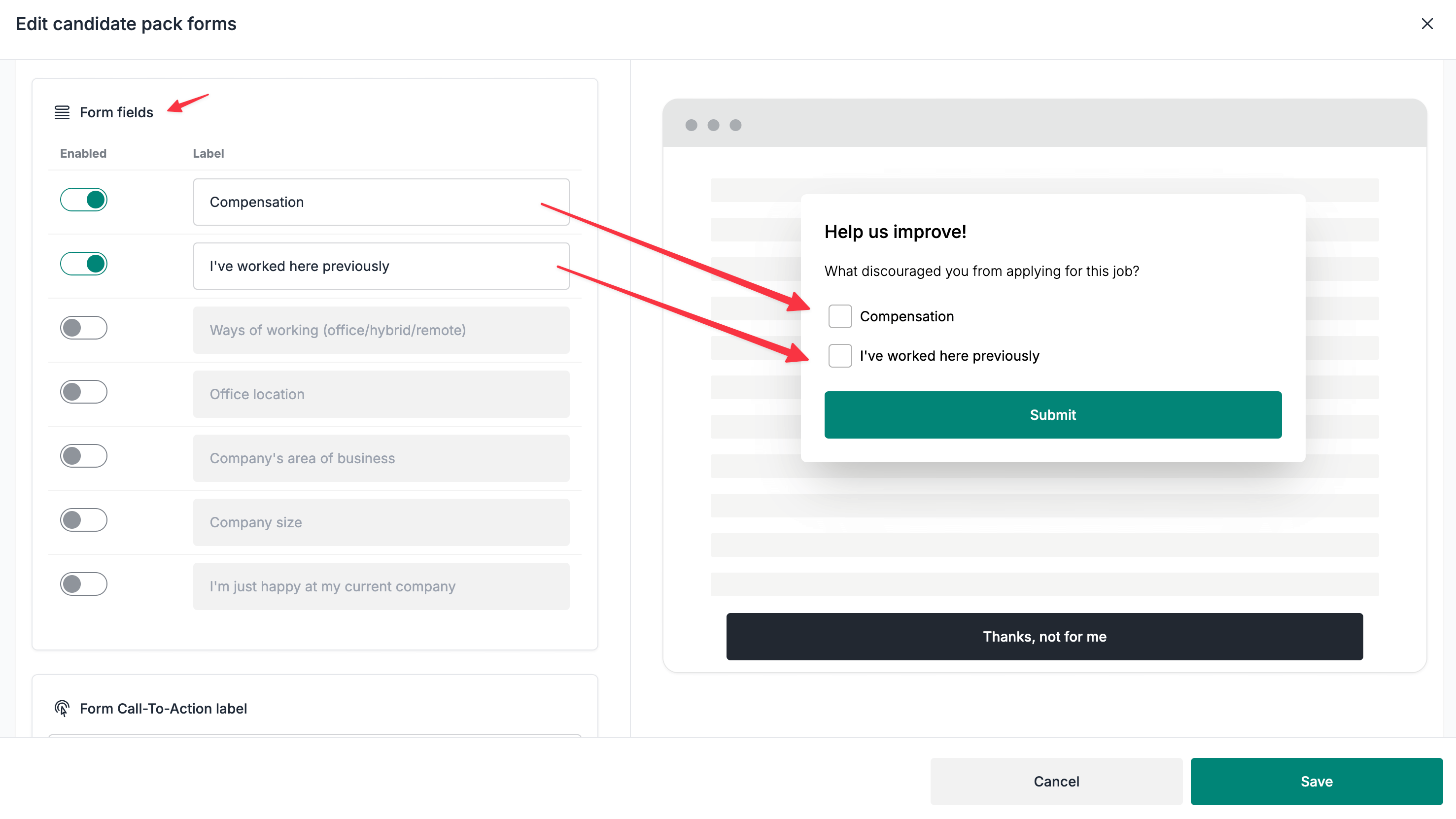
⚠️ Al personalizar los campos de motivos de rechazo, también se actualizará la tabla
Motivos de rechazode la página de estadísticas del pack candidato.
- Selecciona la pestaña
Formulario de rechazo. - Desplázate hasta la sección
Campos del formulario. - Activa o desactiva los campos según sea necesario.
- Cambia el nombre de los campos según sea necesario.
- Haz clic en el botón
Guardarpara guardar los cambios.
Restablecer la personalización del formulario
⚠️ Esta acción no se puede deshacer. Procede con precaución.
- Selecciona la pestaña
Formulario de interésoFormulario de rechazo, según el formulario que quieras restablecer. - Desplázate hasta la sección
Restablecer personalizaciones de idioma.
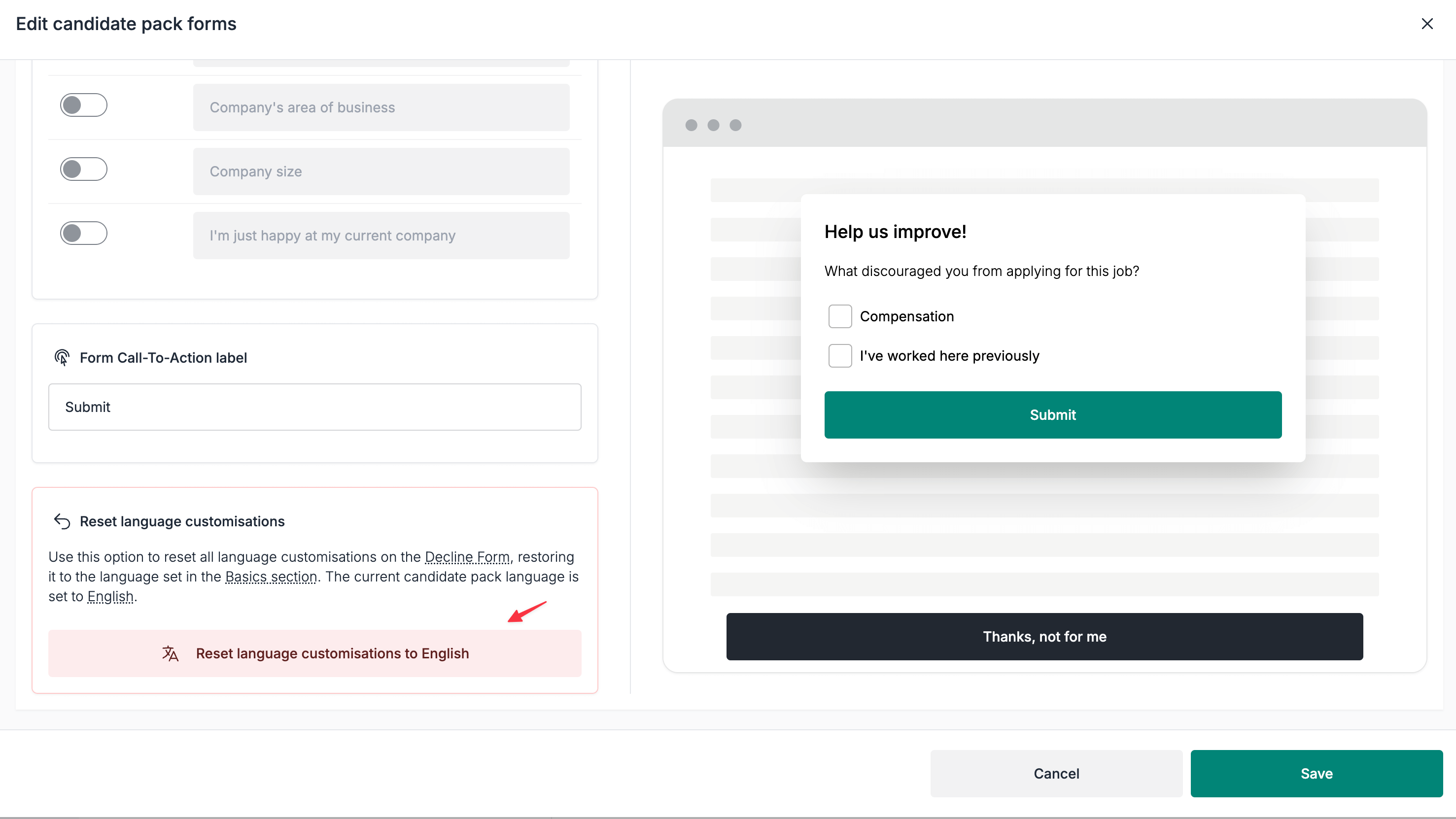
- Haz clic en el botón
Restablecer personalizaciones de idioma a {language}.
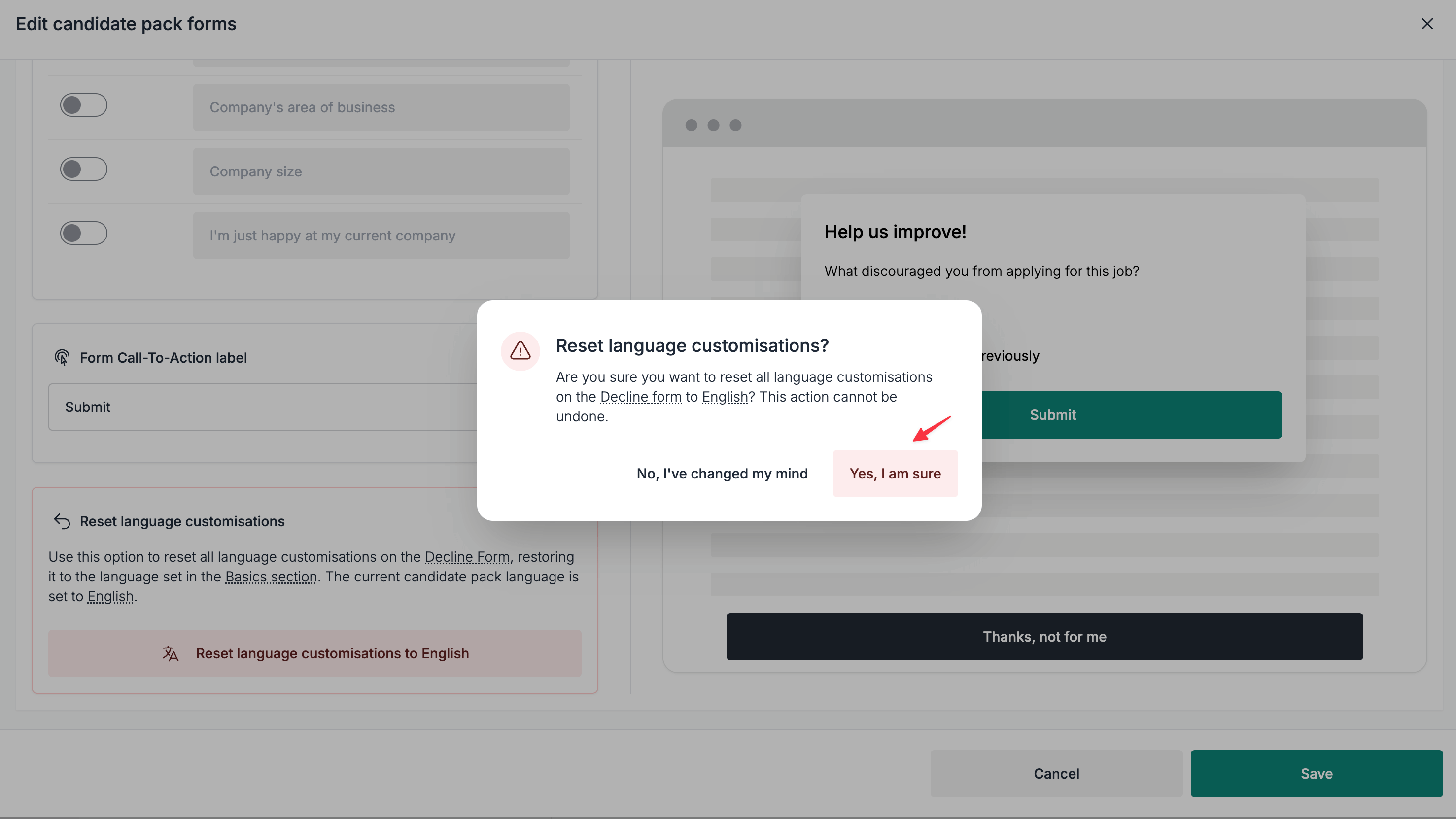
- Haz clic en el botón
Sí, estoy segurodel cuadro de confirmación.