Añadir una imagen
Puedes añadir una imagen a todas las secciones del pack candidato, excepto Preguntas frecuentes e Información del puesto.
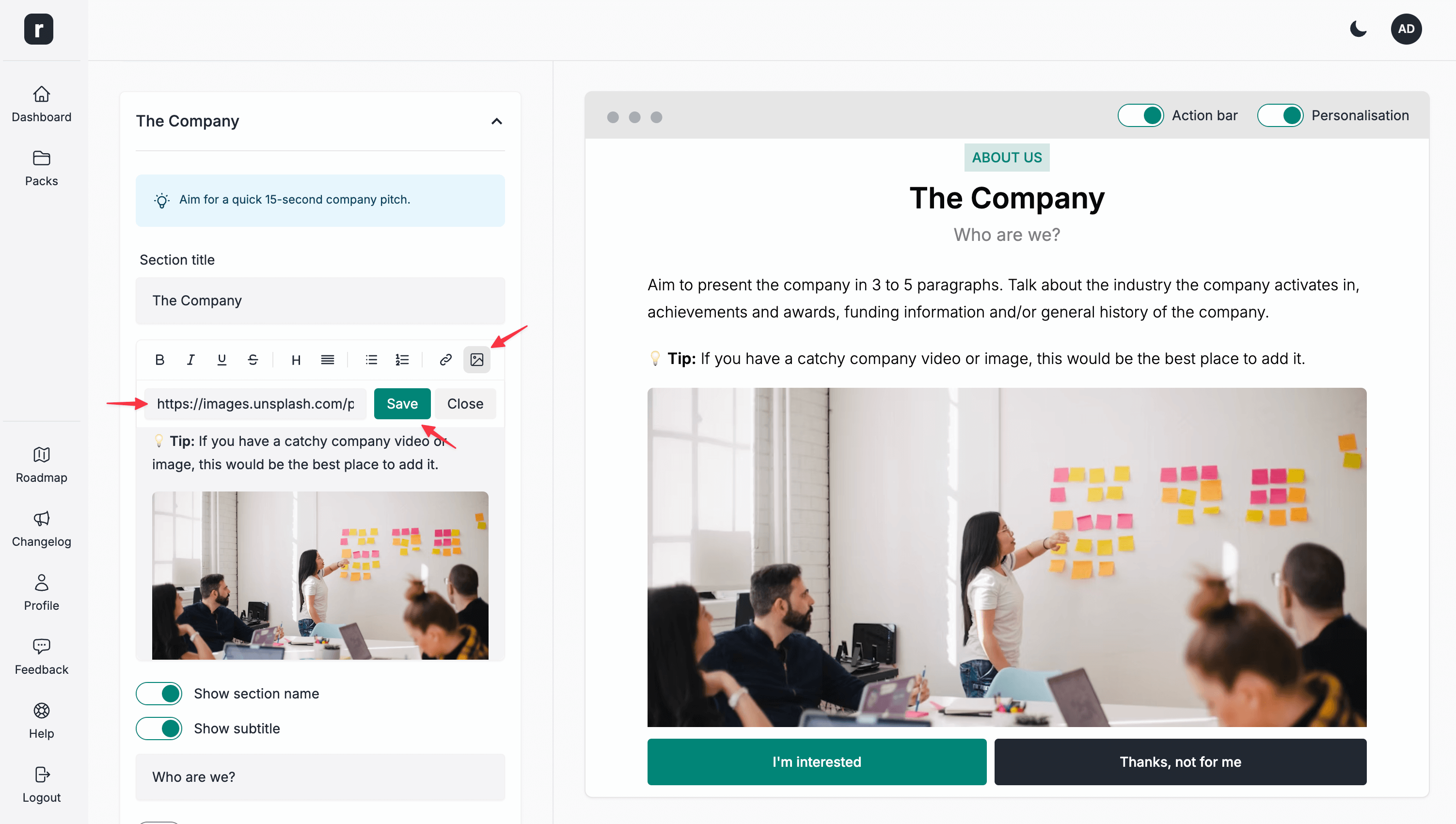
Para añadir una imagen:
- Despliega la sección donde quieras añadirla.
- Haz clic en el icono de imagen de la barra de herramientas de formato de texto.
- Añade la URL de la imagen que quieras insertar en esta sección.
- Haz clic en el botón
Save. - Cuando termines de editar la sección, haz clic en el botón
Guardar y Continuar.