Download a PDF version of a candidate pack
You can export any candidate pack, including drafts, as a PDF file, either on the candidate packs listing page or on the candidate pack editor page. PDF export is available when your plan includes this feature.
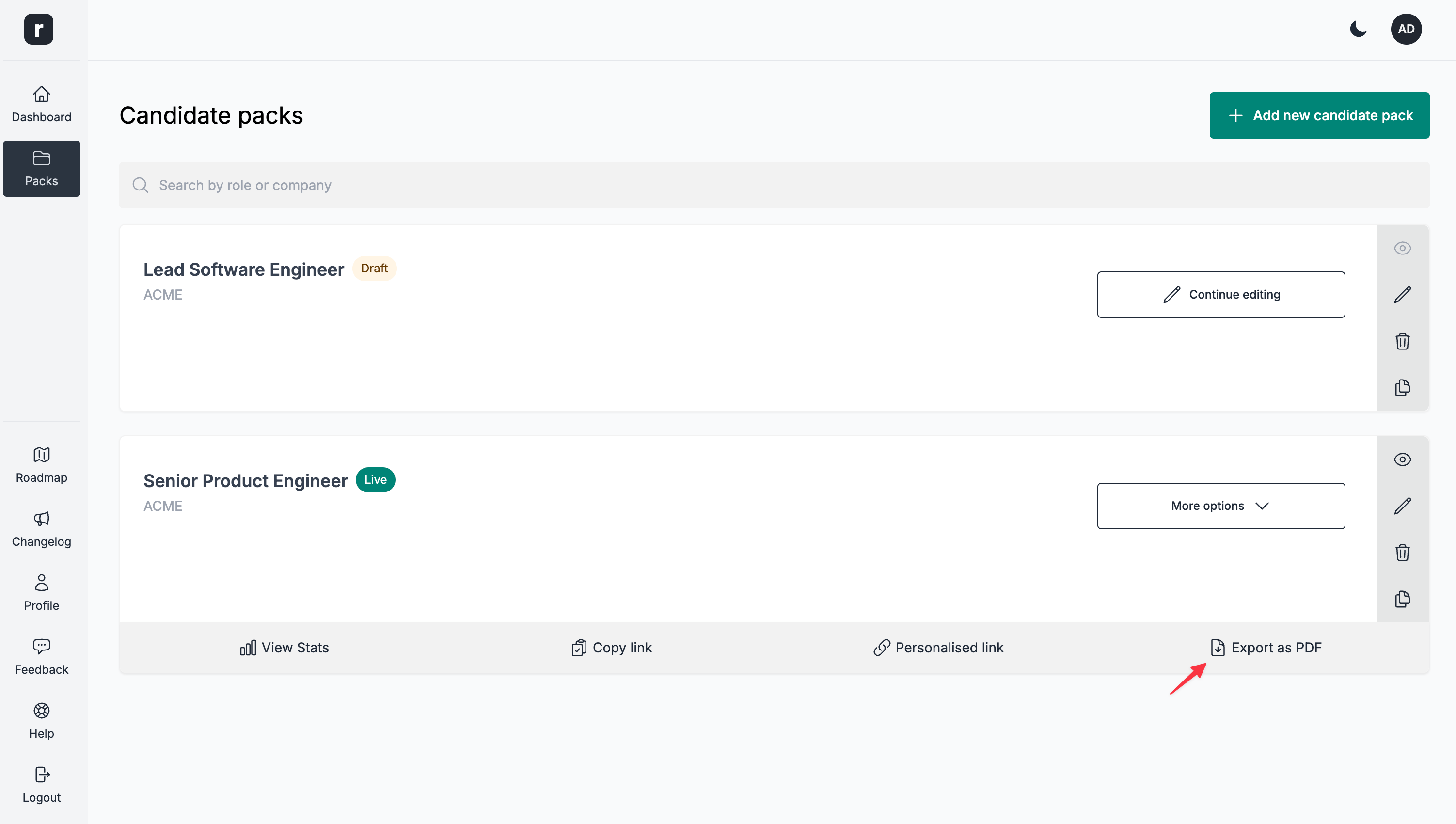
On the candidate packs listing page
- Navigate to the candidate packs listing page
- Click the
Moremenu and select theExport as PDFoption
On the candidate pack editor page
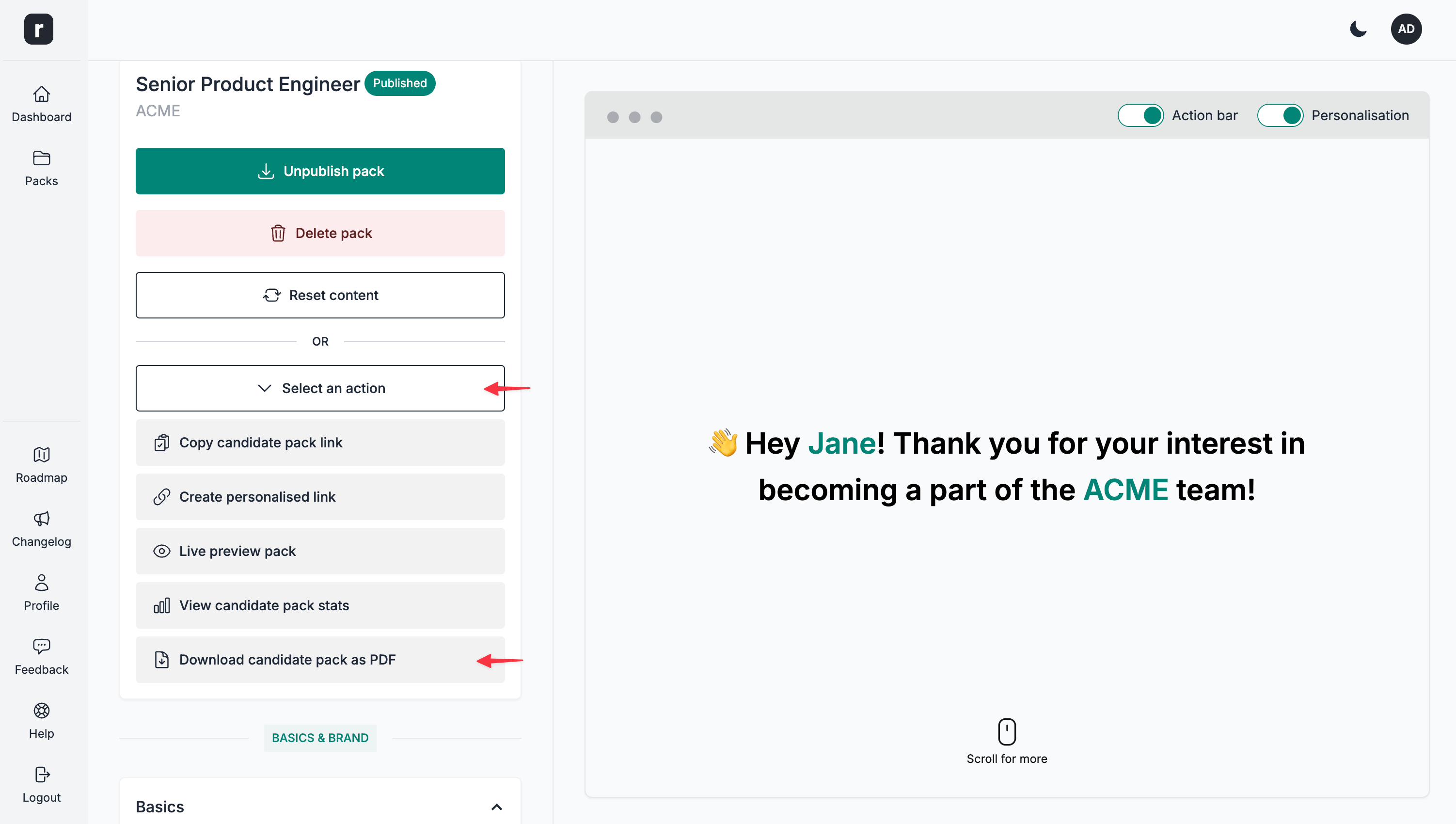
- Navigate to a candidate pack's editor page
- Under the
Status & Controlssection, click theSelect an actiondropdown - Click the
Download candidate pack as PDF
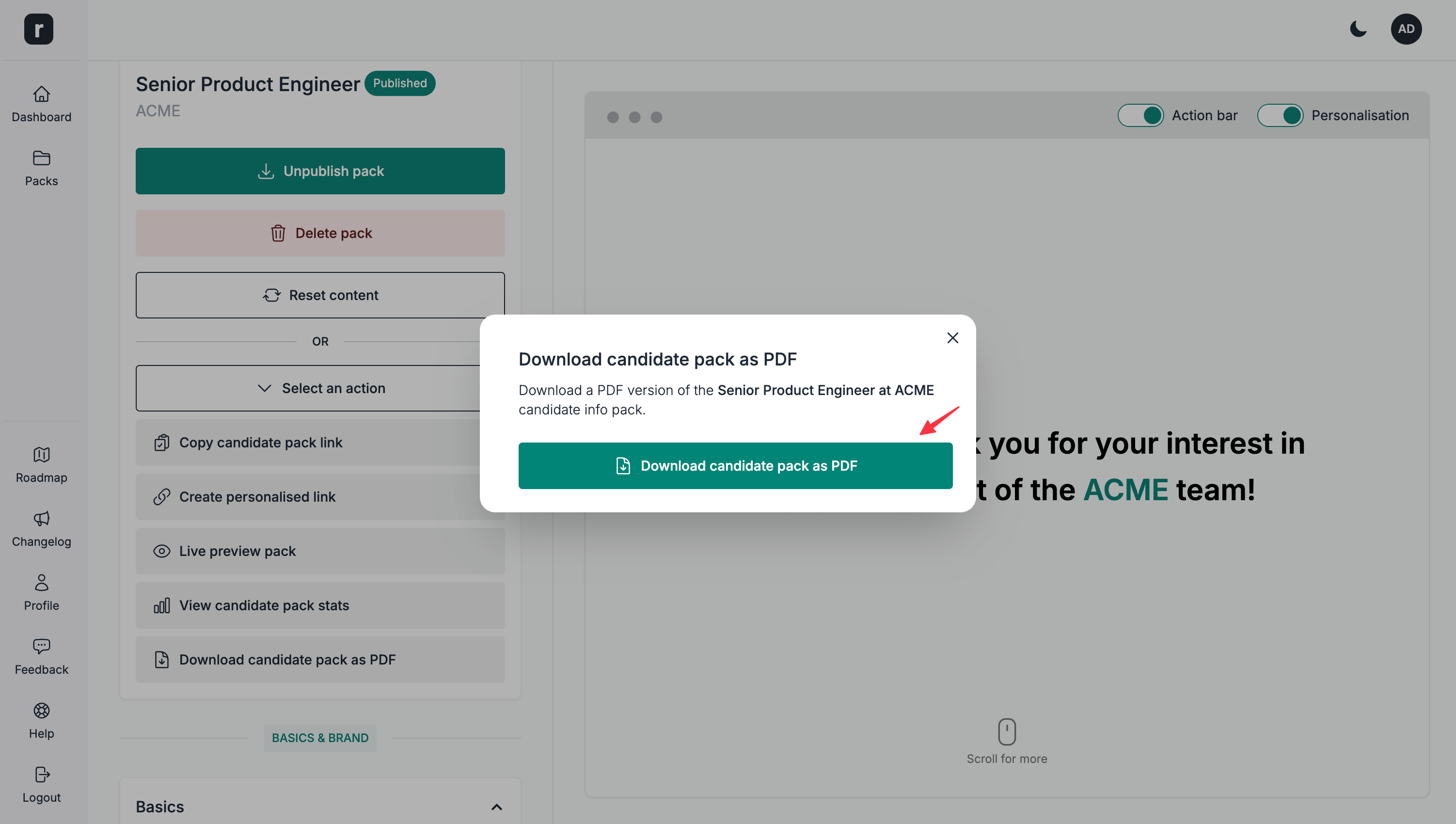
Regardless of the page you are generating and downloading the PDF from, when clicking the option, you'll be presented with a confirmation modal. Click the Download candidate pack as PDF button on the confirmation modal to download the generated file.