Customise the interest form flow
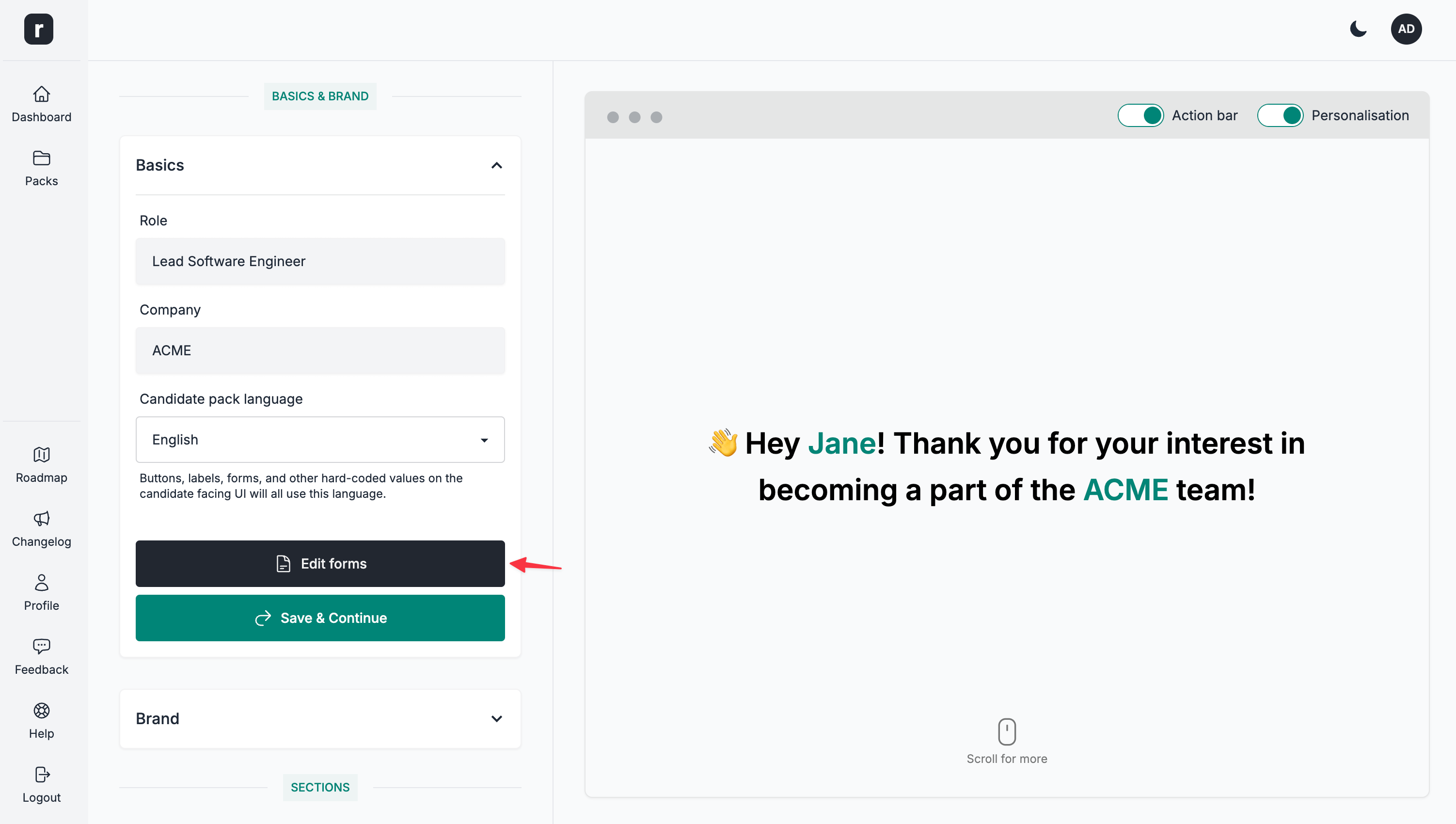
You have the option to customise the behaviour of the I'm interested button on the public candidate pack page in multiple ways. To reach the forms editor, go to a candidate pack editor page and click the Edit forms button under the Basics section.
Once on the Form Editor, make sure you are on the Interest form tab.
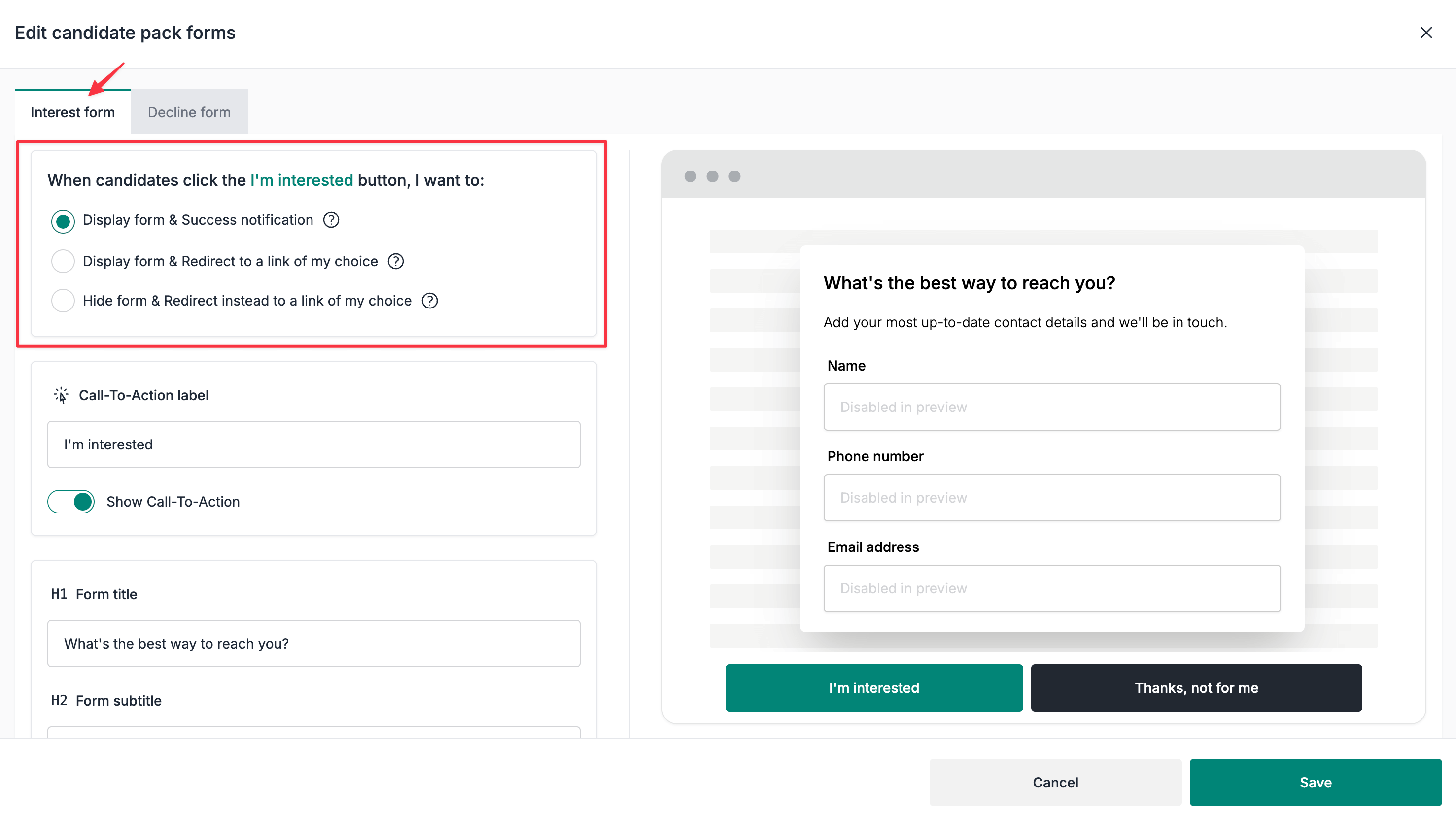
Customising the interest form flow
1. Display form & Success notification
How this flow works?
- Candidates click the
I'm interestedbutton - A data collection form is displayed
- Candidates complete the form
- A success notification is shown to the candidates
If email notifications are enabled for this candidate pack when the form is submitted, the form data is sent to the main email address configured for this candidate pack and any additional recipients configured for it. All of these addresses must belong to active team members. If email notifications are disabled, no notification email is sent; this may differ from the email address used to register on Role.so.
2. Display form & Redirect to a link of my choice
How this flow works?
- Candidates click the
I'm interestedbutton - A data collection form is displayed
- Candidates complete the form
- Upon successful completion of the form, candidates are redirected to a link of your choice
If email notifications are enabled for this candidate pack when the form is submitted, the form data is sent to the main email address configured for this candidate pack and any additional recipients configured for it. All of these addresses must belong to active team members. If email notifications are disabled, no notification email is sent; this may differ from the email address used to register on Role.so.
3. Hide form & Redirect instead to a link of my choice
How this flow works?
- Candidates click the
I'm interestedbutton - No form will be displayed
- Instead, candidates are redirected to a link of your choice
Since we are bypassing the data collection form and instead redirect the candidates to a link of your choice, there will be no emails sent to your email address.
Custom links
When using custom links, you can use any 3rd party link of your choice: Calendly, LinkedIn, Workable or any other ATS of your choice.