Add custom titles, labels and buttons
The Forms Editor offers you the ability to customise every aspect of the main two forms: Interest form and Decline form.
Customise the main Call-To-Action buttons
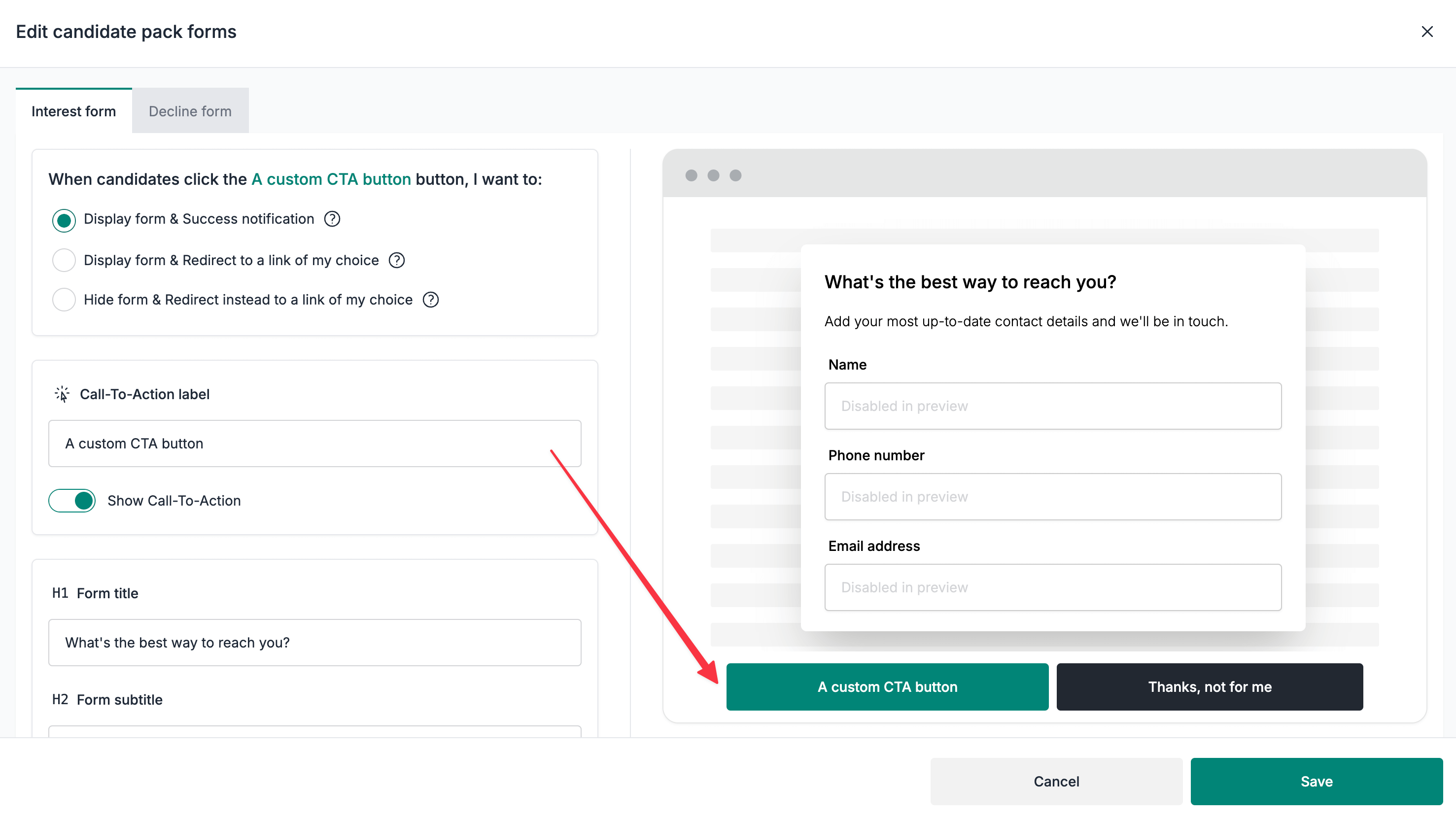
- Select the
Interest formor theDecline formtab (depending on what you are looking to customise) - Scroll down to the
Call-To-Action labelsection and customise the label as required - Click on the
Savebutton to save your changes
Disable the main Call-To-Action buttons
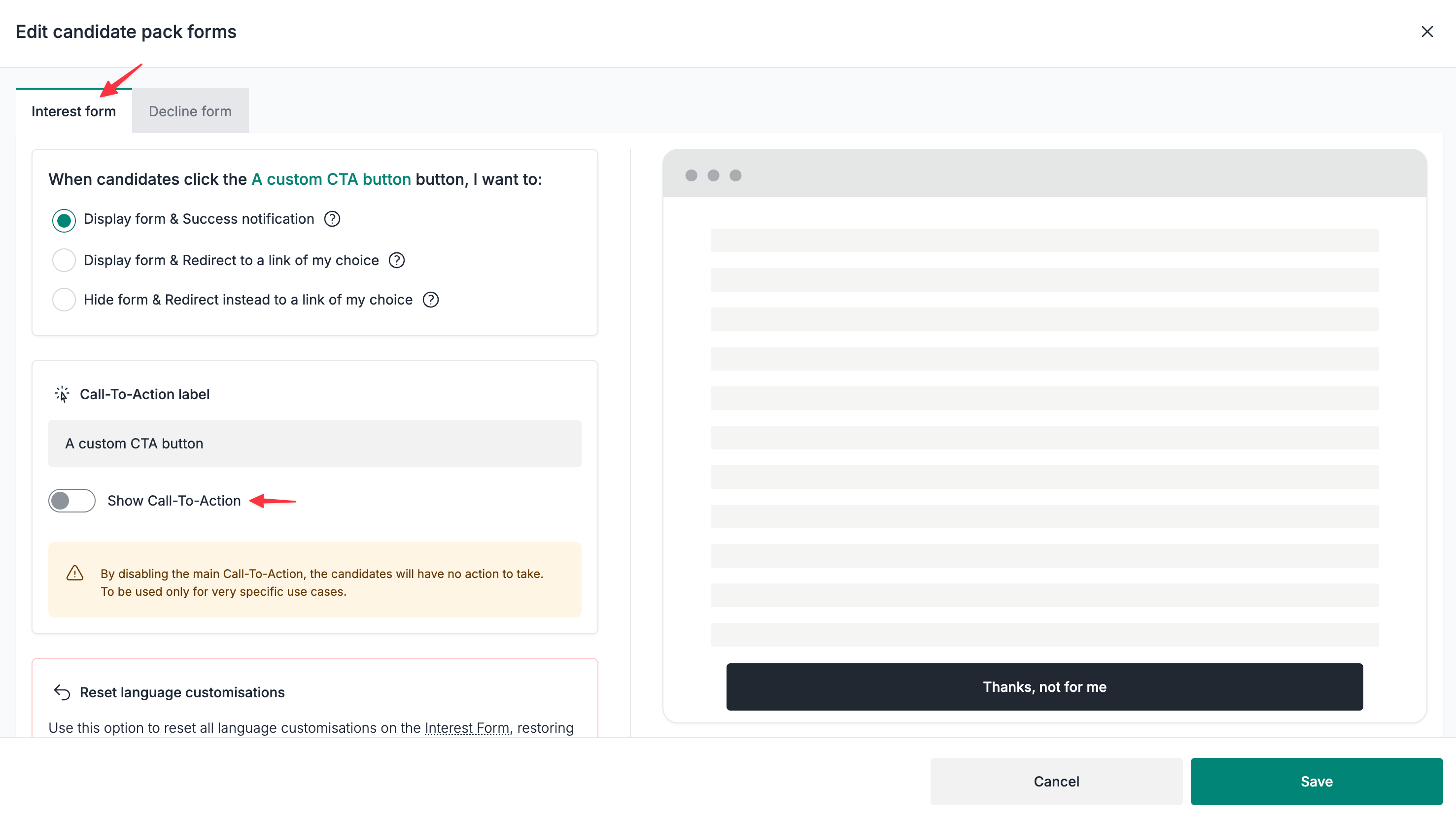
⚠️ This option will effectively hide the buttons, meaning there will be no forms displayed (nor any redirects). To be used only for very specific use cases.
- Select the
Interest formor theDecline formtab (depending on what you are looking to customise) - Disable the
Show Call-To-Actionunder theCall-To-Action labelsection - Click on the
Savebutton to save your changes
Customise the form titles and subtitles
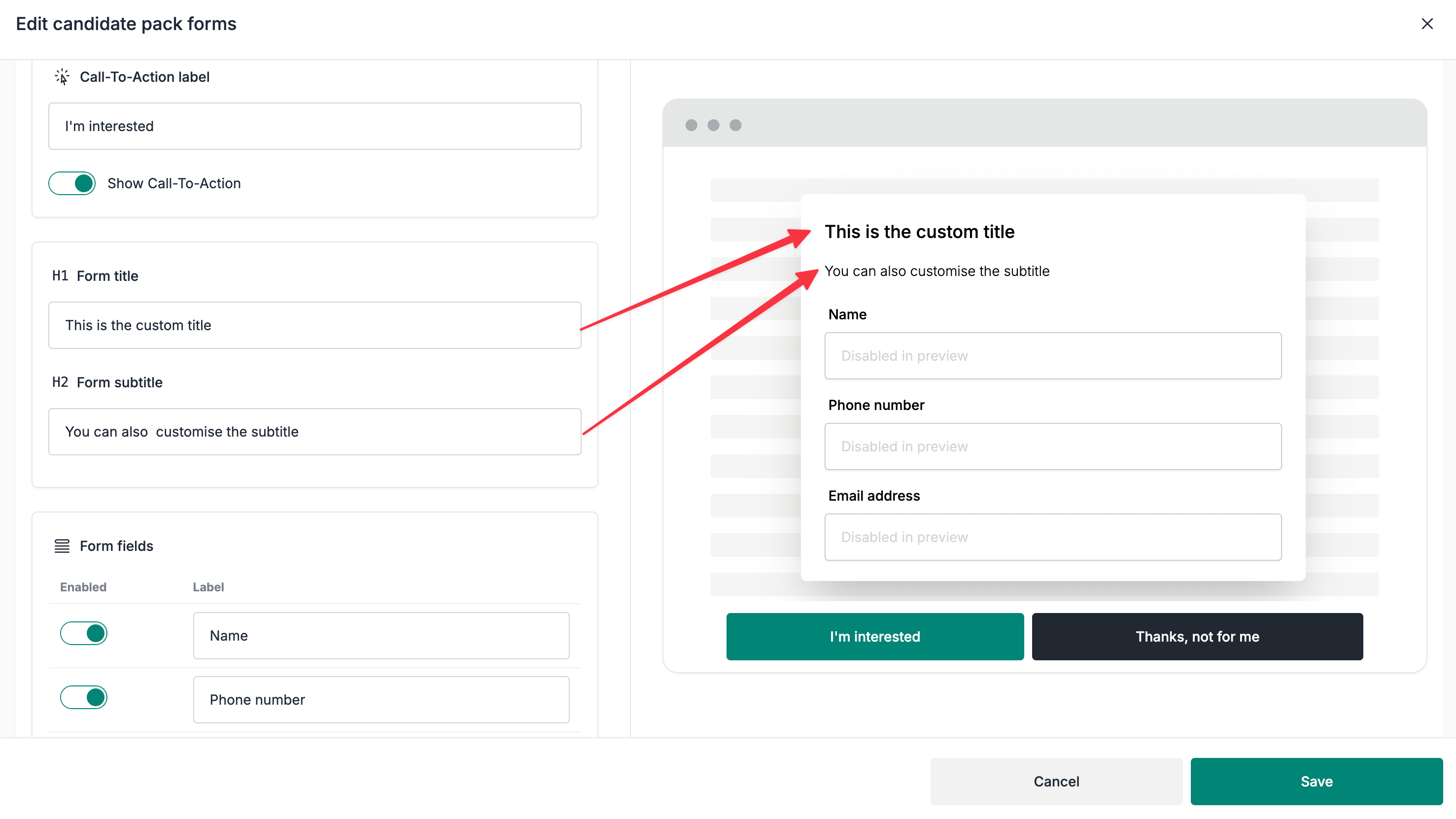
- Select the
Interest formor theDecline formtab (depending on what you are looking to customise) - Scroll down to the
Form titleandForm subtitlesections - Click on the
Savebutton to save your changes
Customise the decline reason fields
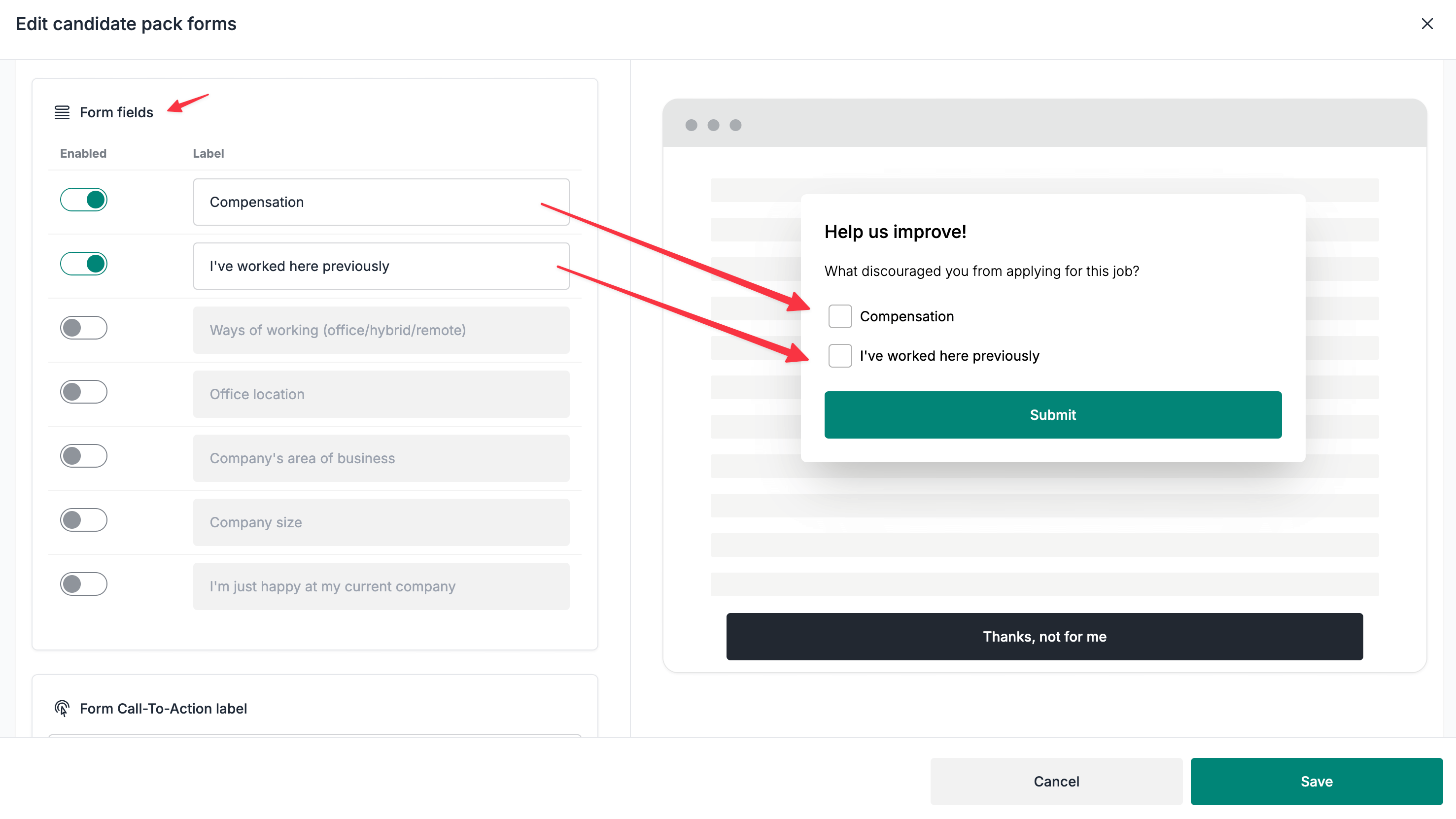
⚠️ By customising the decline reason fields, the
Reasons for decliningtable on the candidate pack's Stats page will also be updated.
- Select the
Decline formtab - Scroll down to the
Form fieldssection - Enable/Disable the fields as required
- Rename the fields as required
- Click on the
Savebutton to save your changes
Resetting the form customisation
⚠️ This action cannot be undone, please proceed with caution.
- Select the
Interest formor theDecline formtab (depending on what form you are looking to reset) - Scroll down to the
Reset language customisationssection
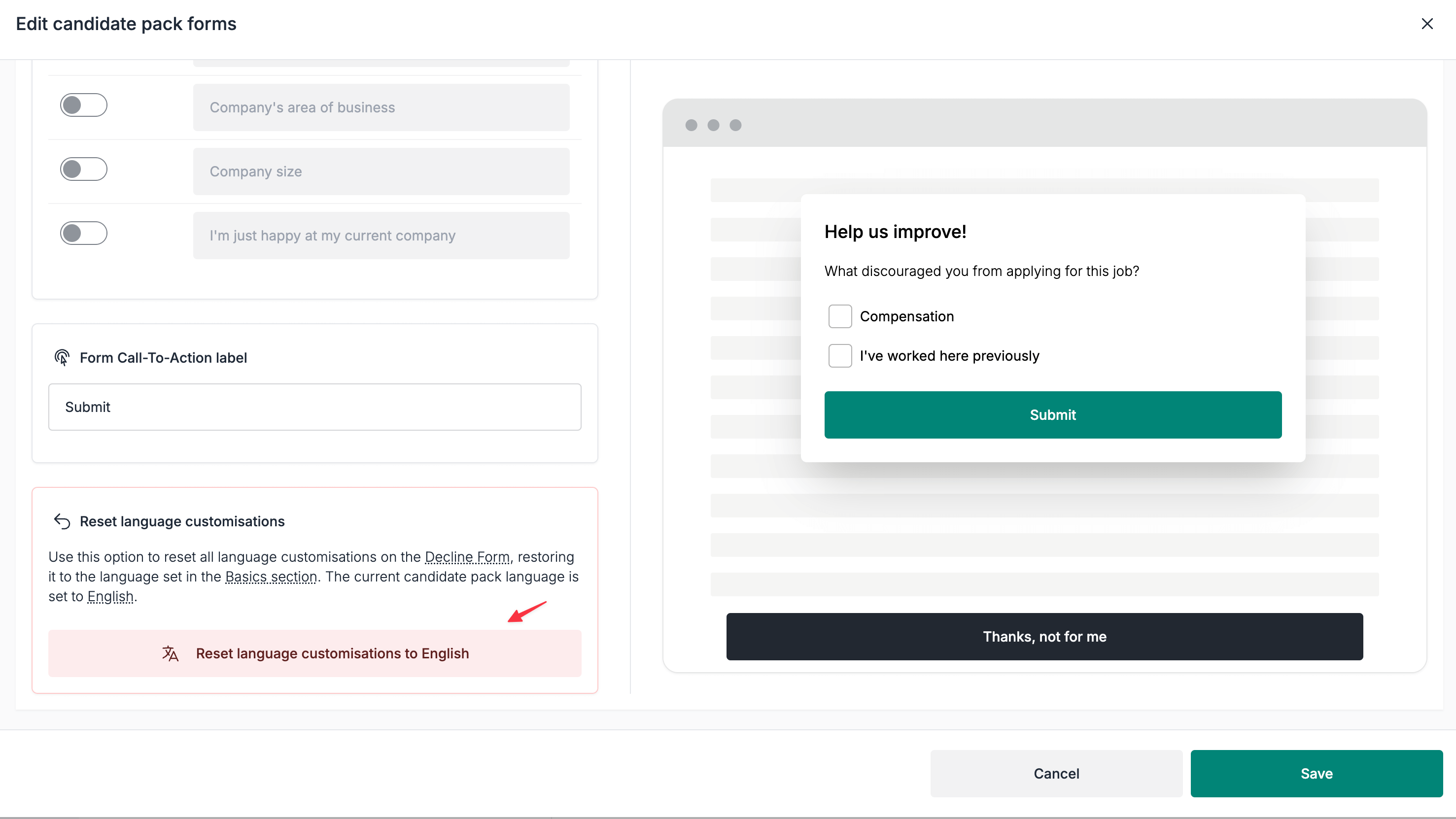
- Click the
Reset language customisations to {language}button
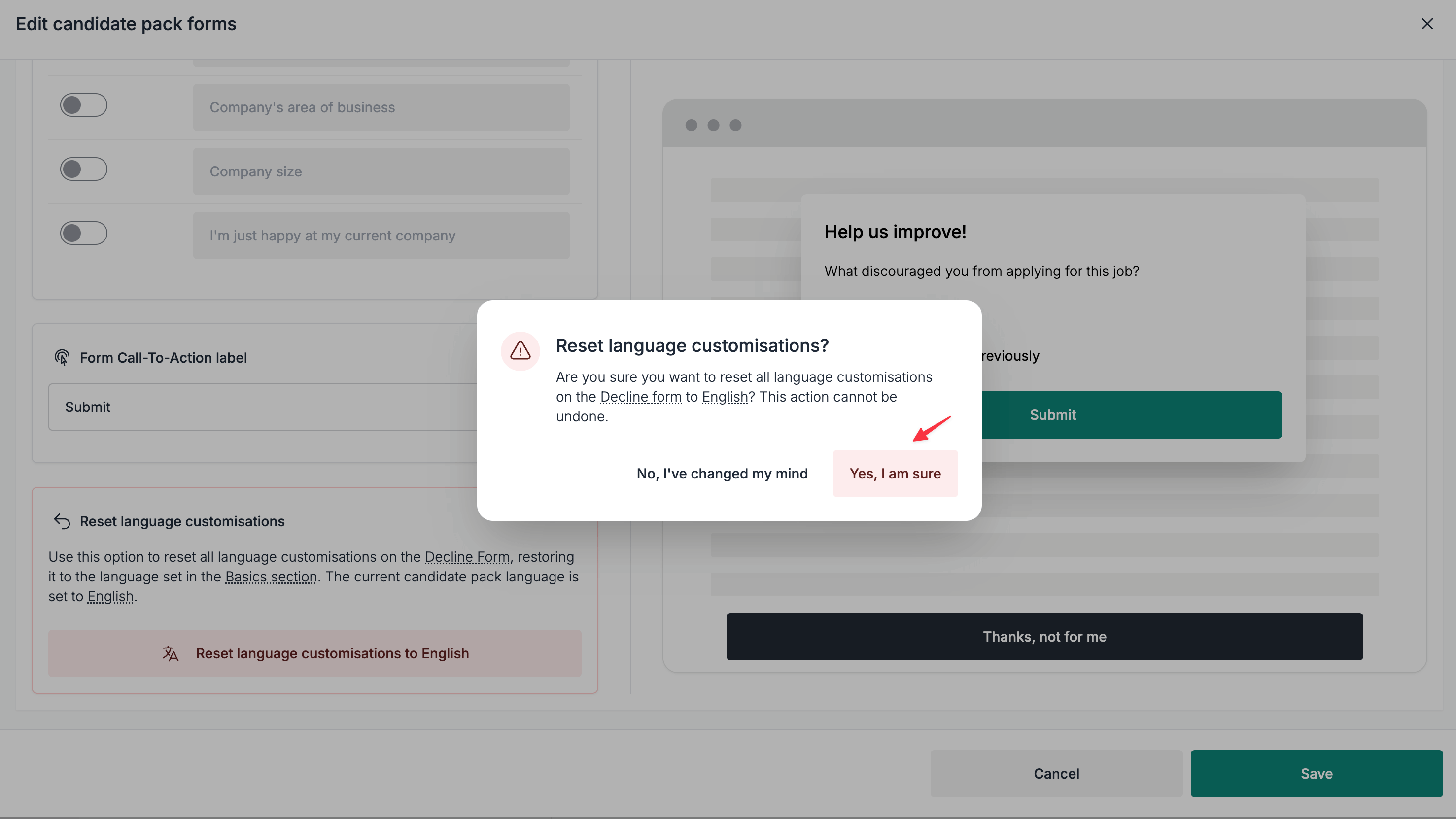
- Click the
Yes, I am surebutton on the confirmation modal