Use dynamic variables
Make it personal, with dynamic variables! You can insert dynamic variables such as: candidate's name, company and role.
This feature is available in the content (WYSIWYG) editor of each section.
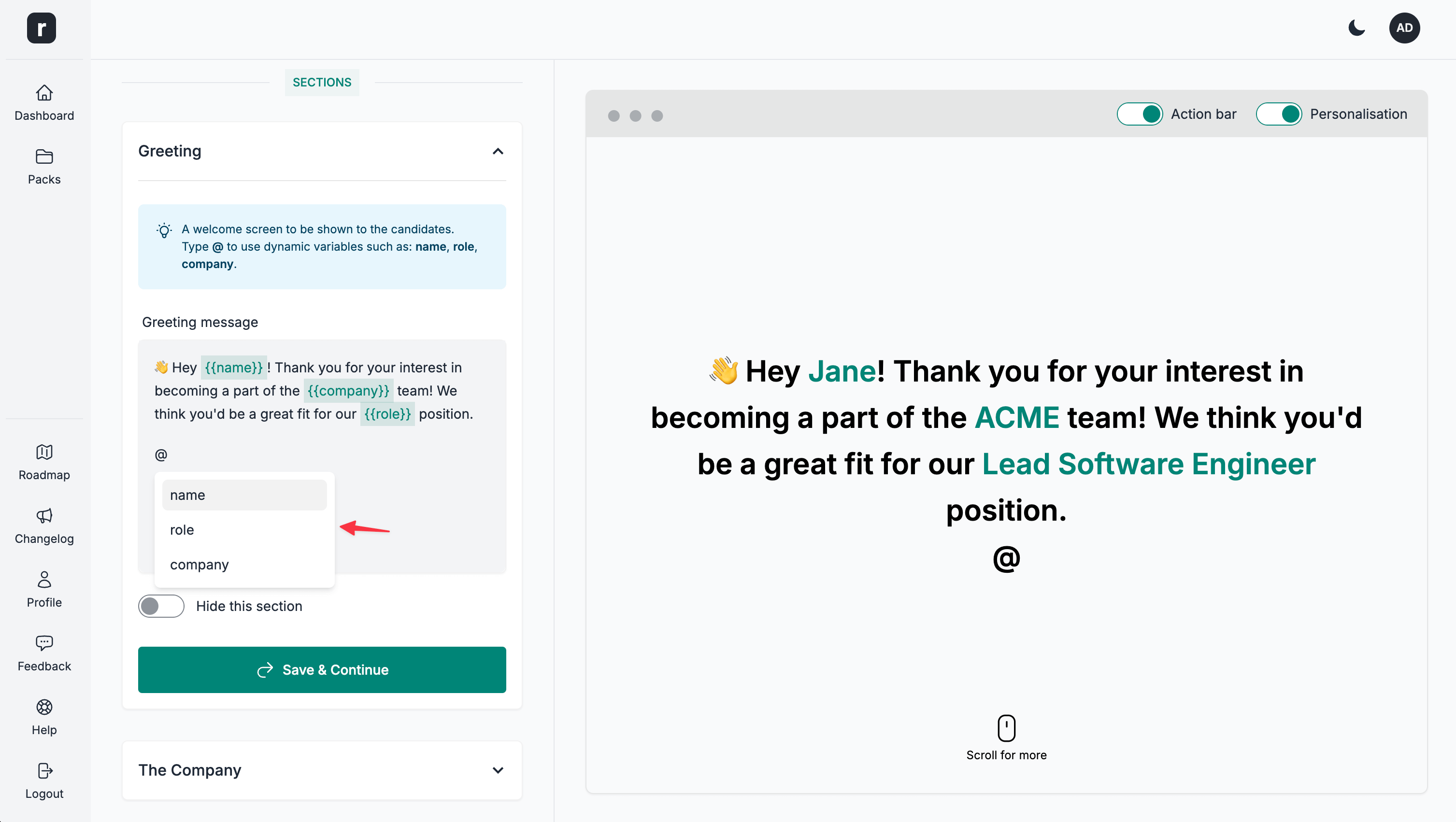
To add a dynamic variable, start by typing @.
This will bring up a pop-up menu with variables to select from.
To learn more about how the candidate name variable works, visit the Create a personalised candidate pack link and Use mass personalisation Help Articles.