Create a personalised candidate pack link
To learn more about using mass personalisation, visit the Use mass personalisation Help Article.
On the candidate packs listing page
-
Navigate to the candidate packs listing page
-
(For a published candidate pack) Click the
More optionsbutton
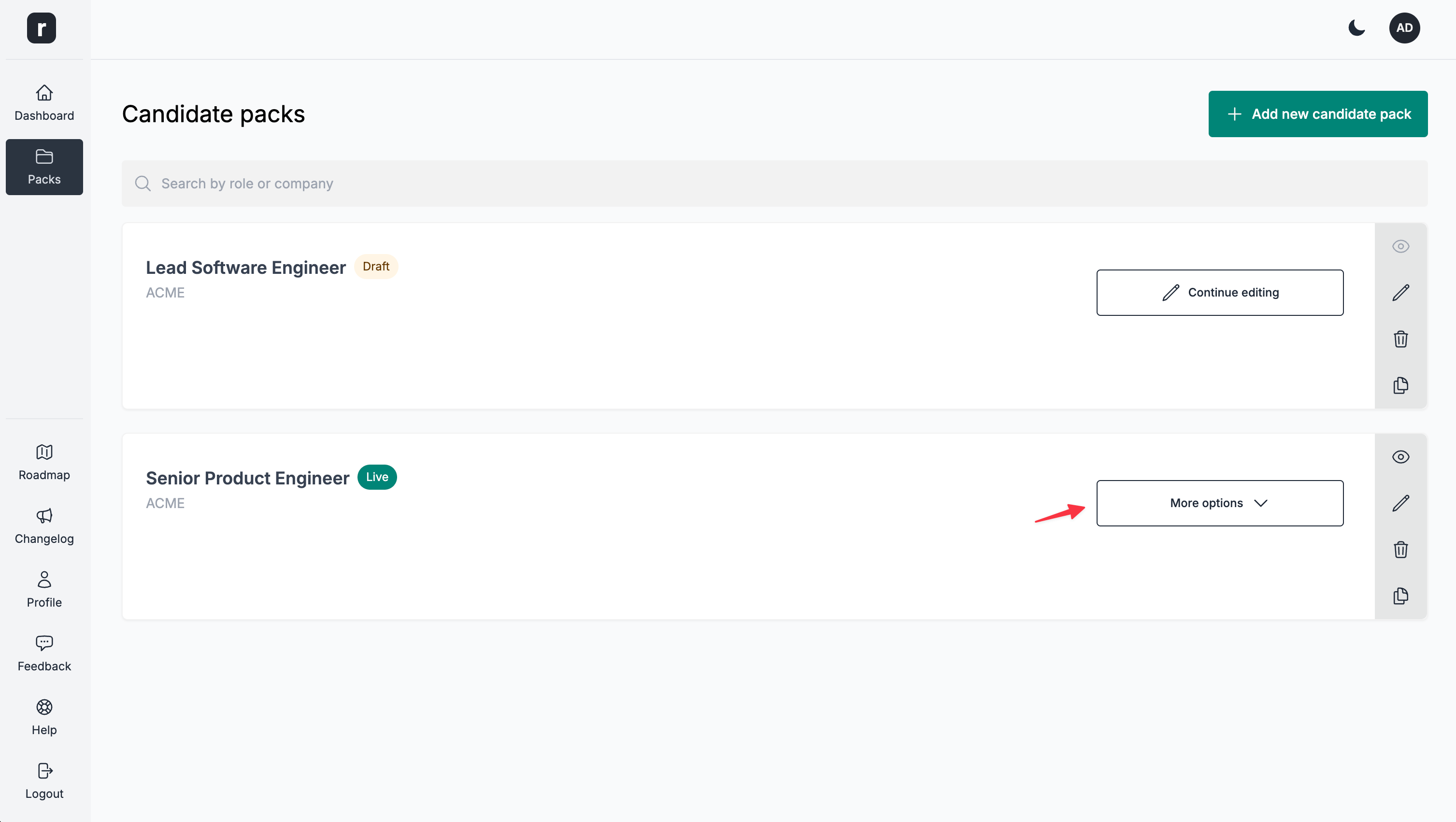
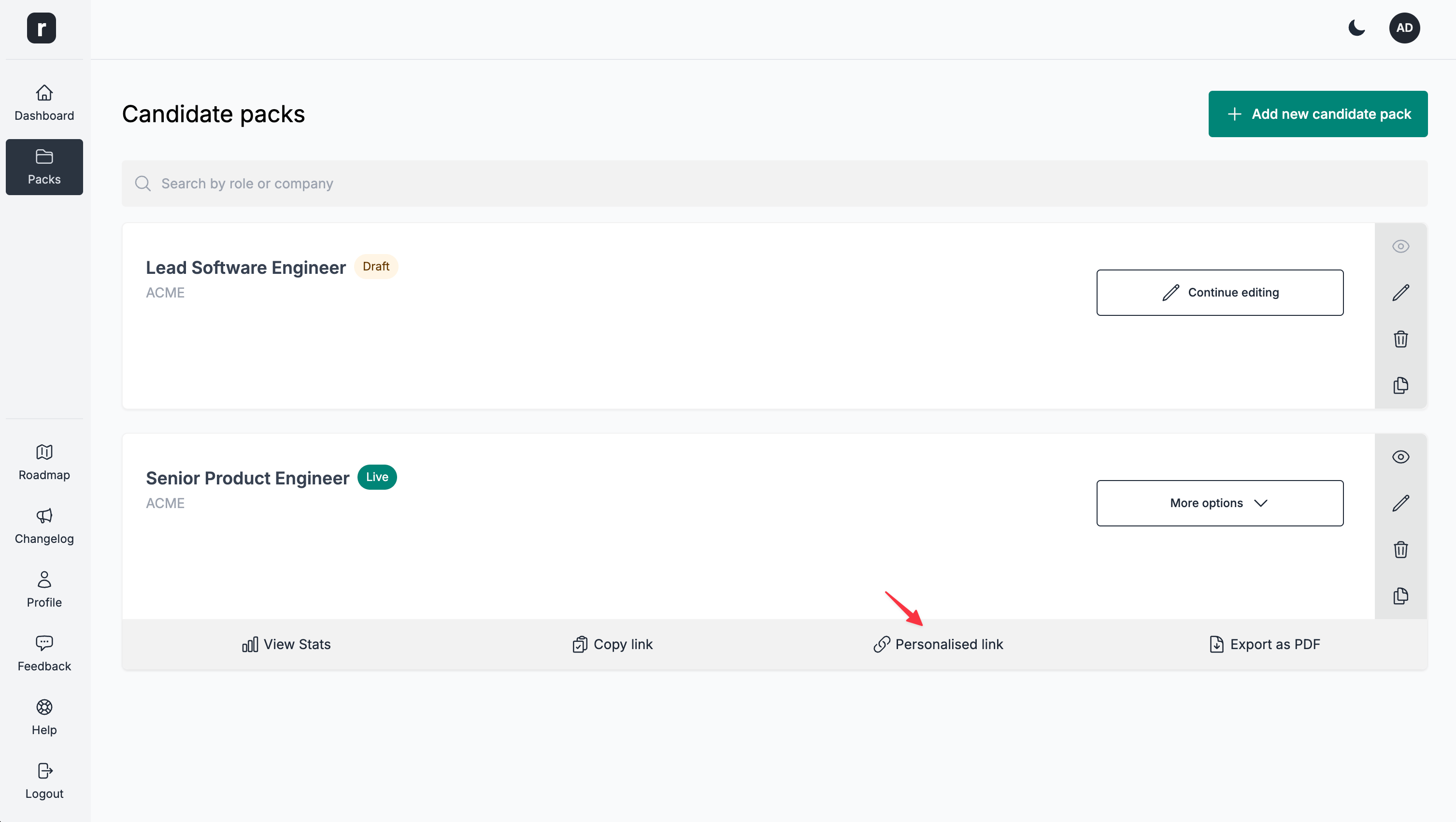
- Click the
Personalised linkbutton
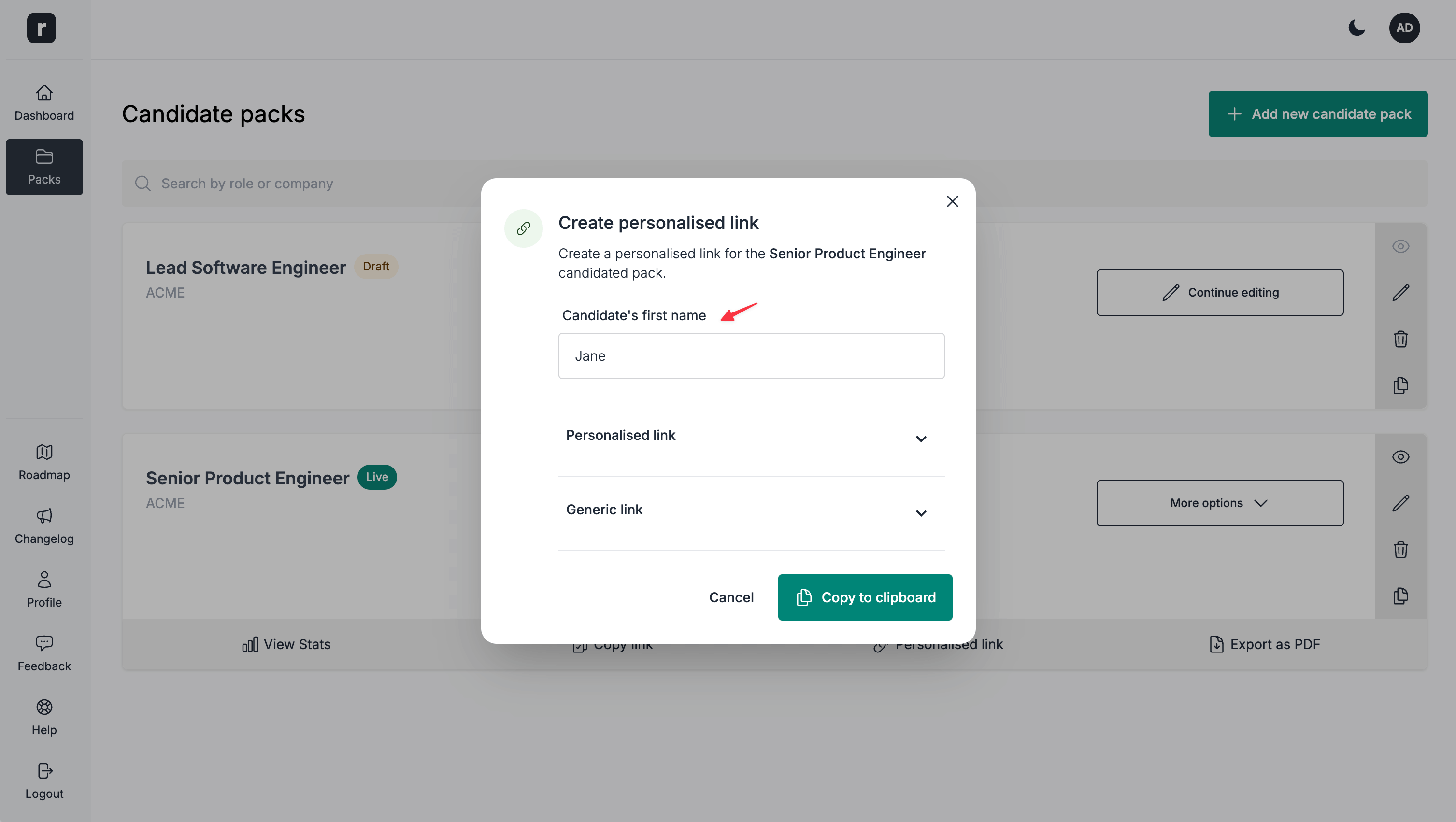
- Add the candidate's first name
- Click the
Copy to clipboardbutton
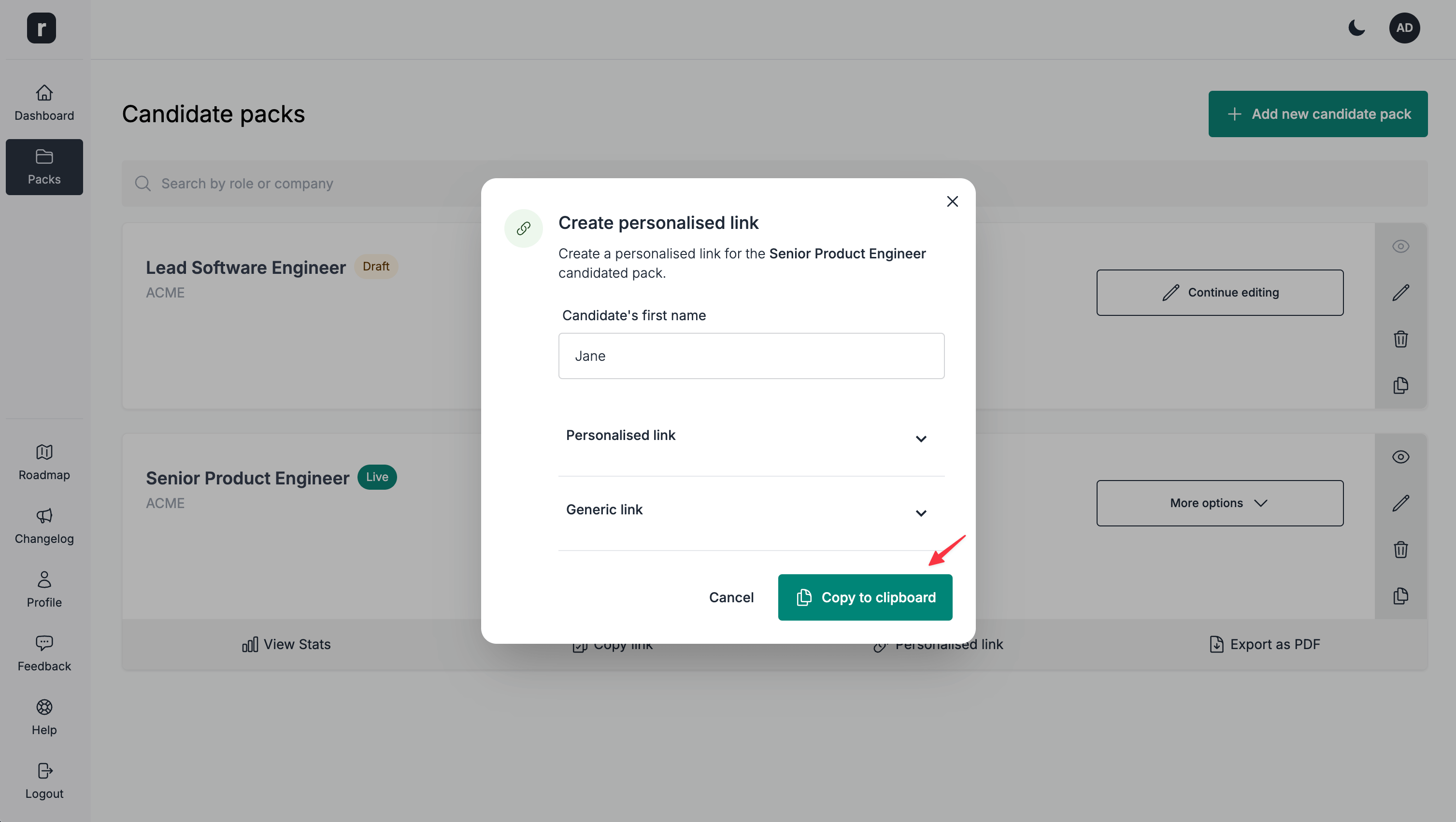
- You can now send this link to the candidate.
On the candidate pack editor page
-
Navigate to a candidate pack's editor page
-
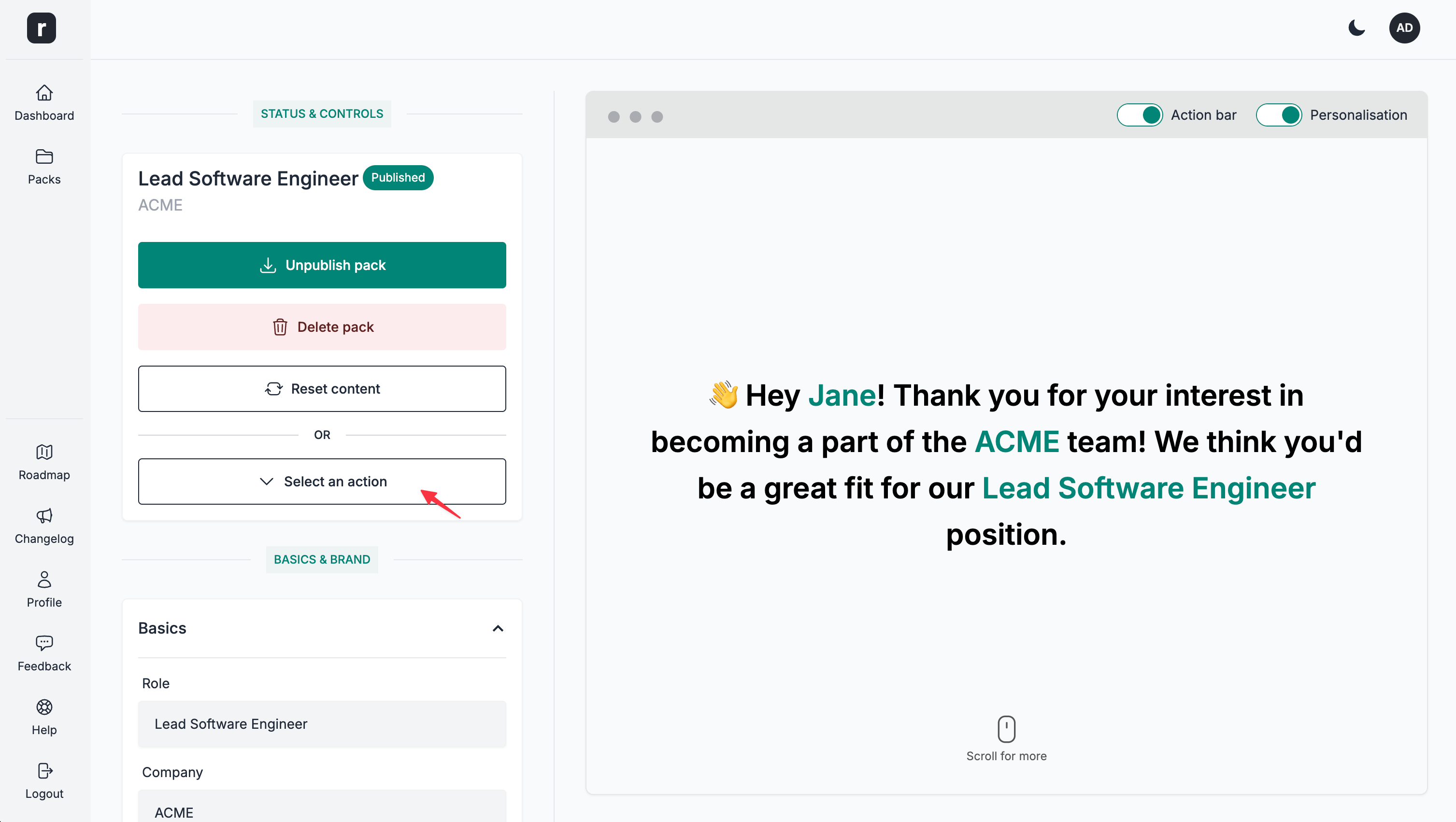
(For a published candidate pack) Under the
Status & Controlssection, click theSelect an actiondropdown
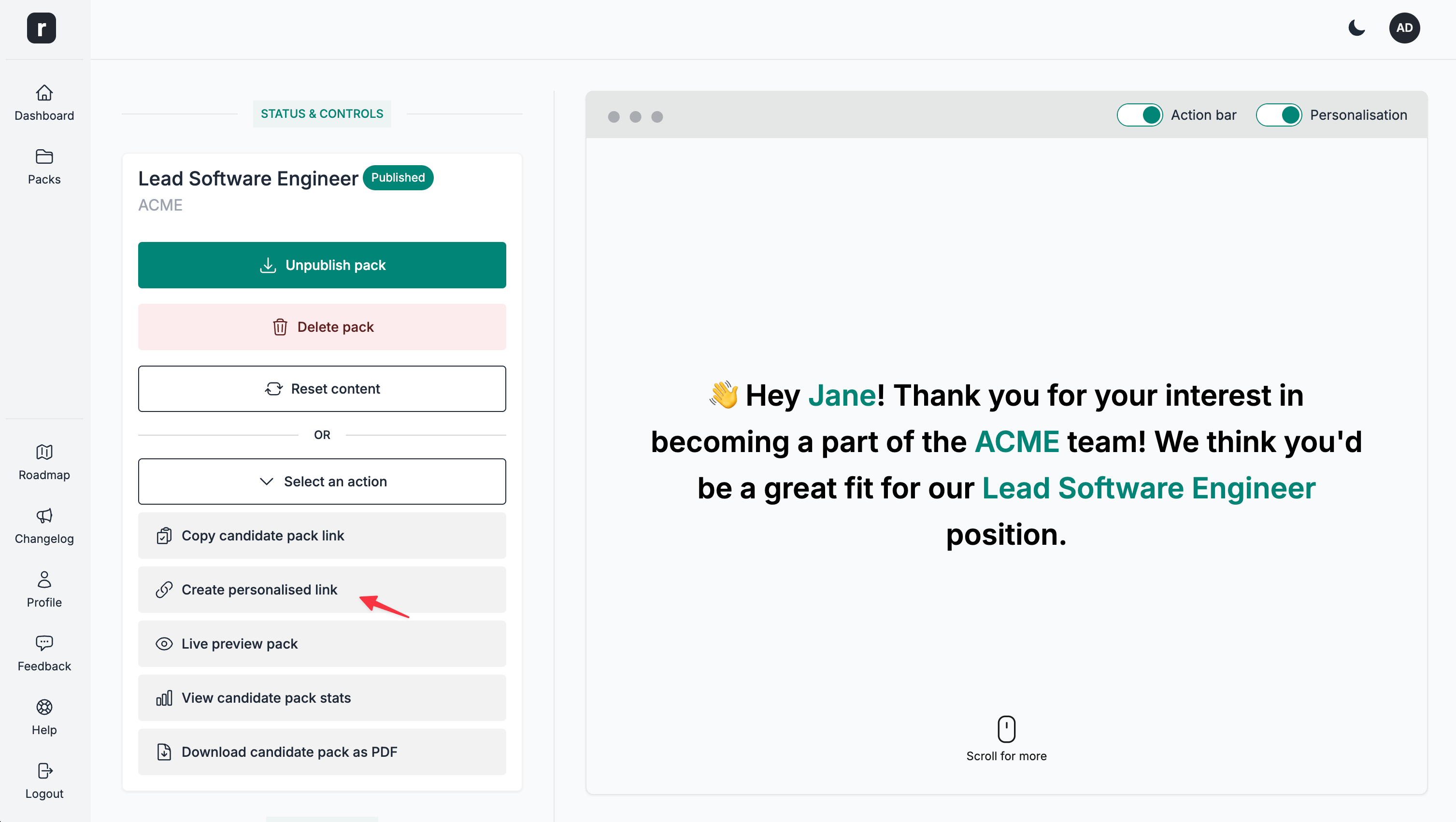
- Click the
Create personalised linkoption
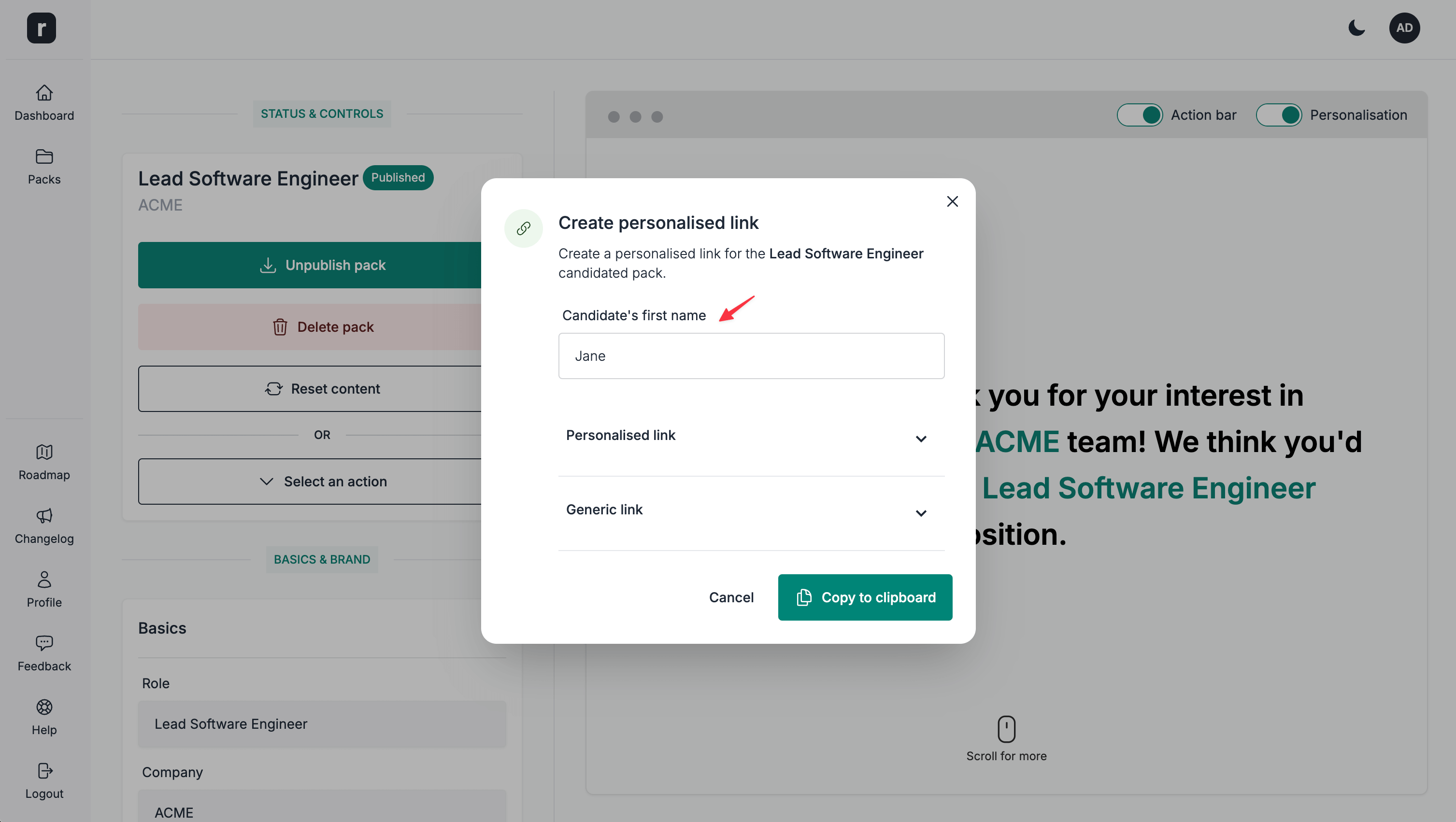
- Add the candidate's first name
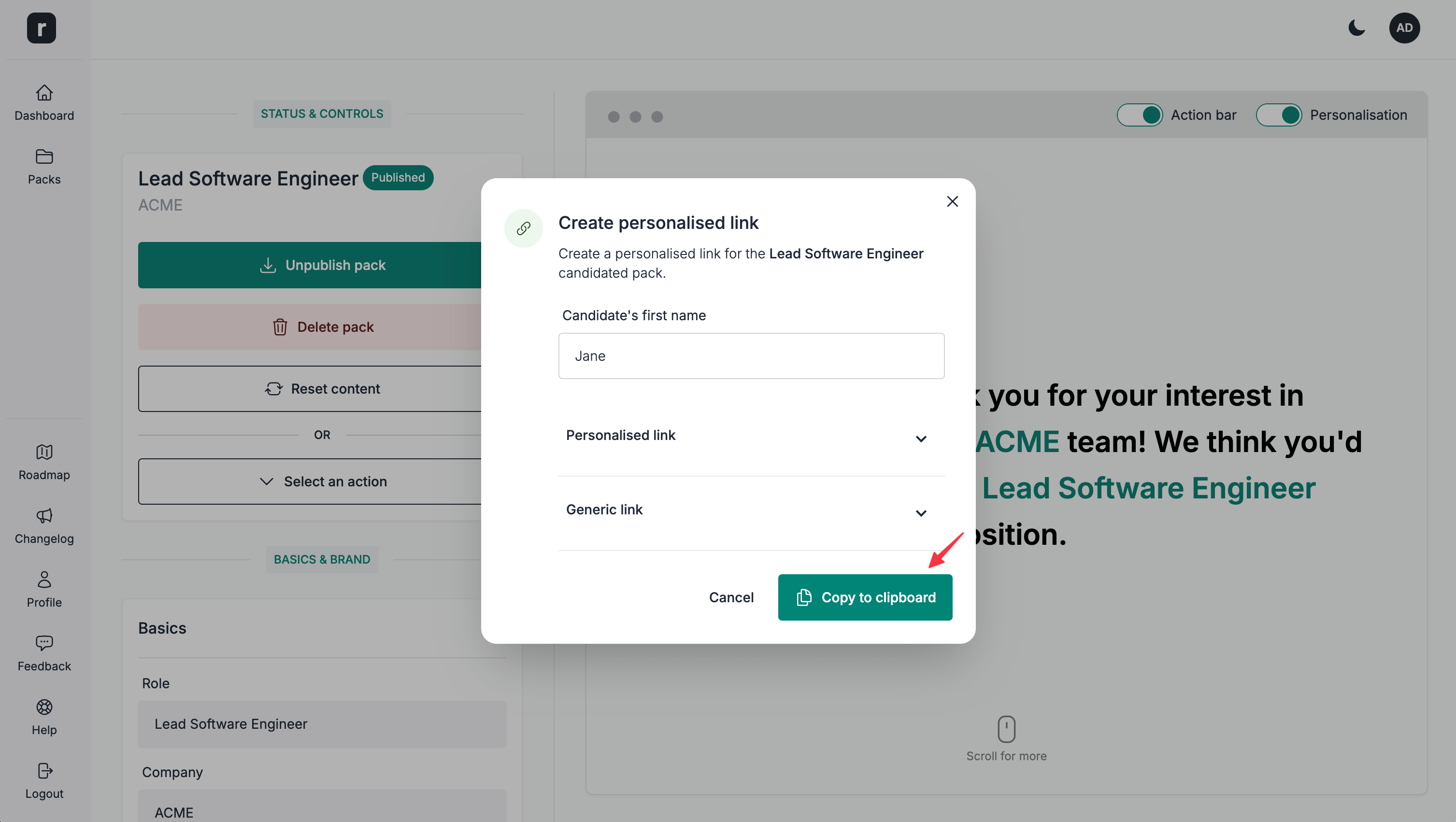
- Click the
Copy to clipboardbutton
- You can now send this link to the candidate.
