Add third-party scripts
How to add a third-party script?
-
Navigate to the candidate pack of your choice
-
Click the
Edit settingsbutton
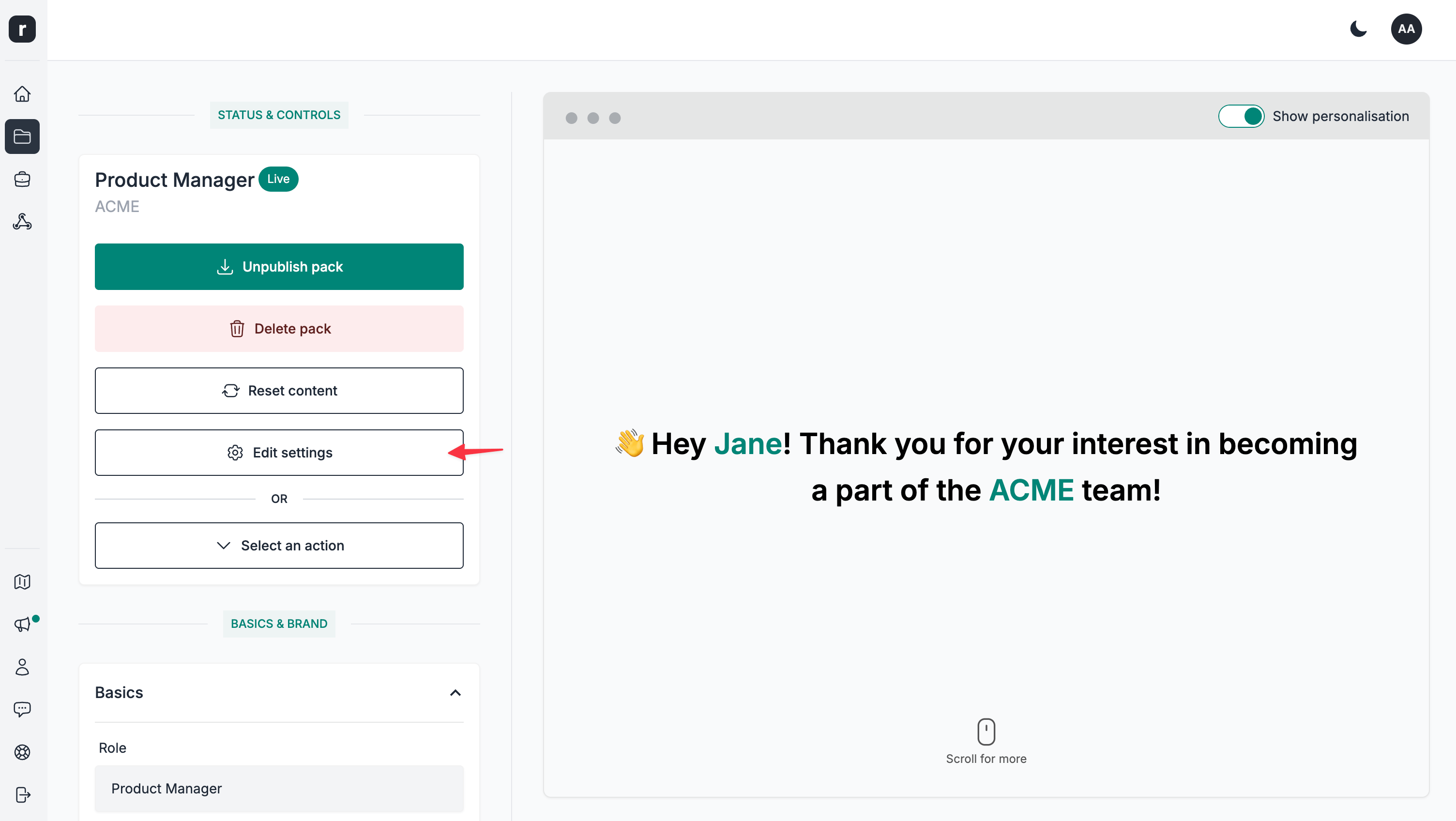
- Click on the
Third-party scriptstab
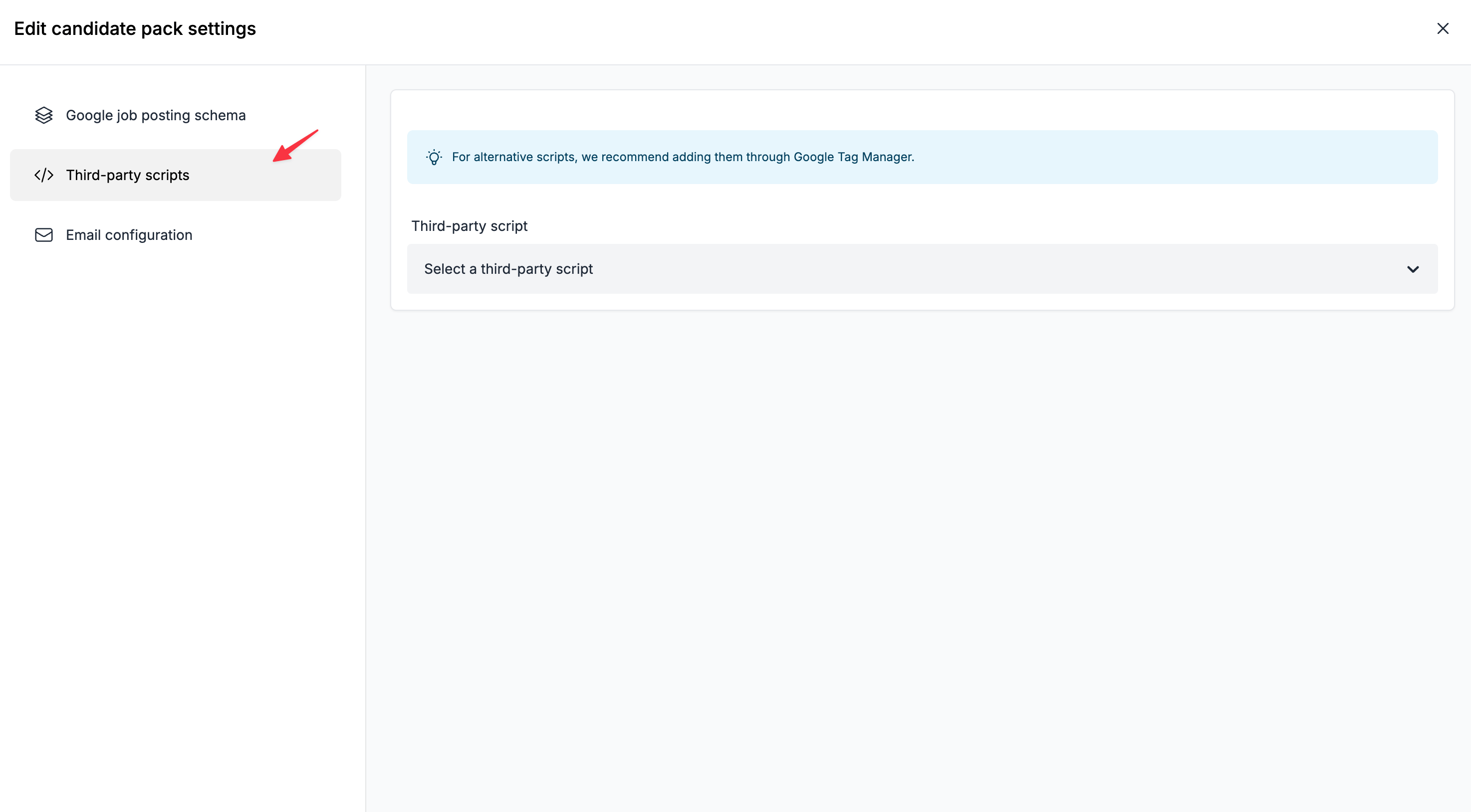
- Select an option from the
Third-party scriptlist
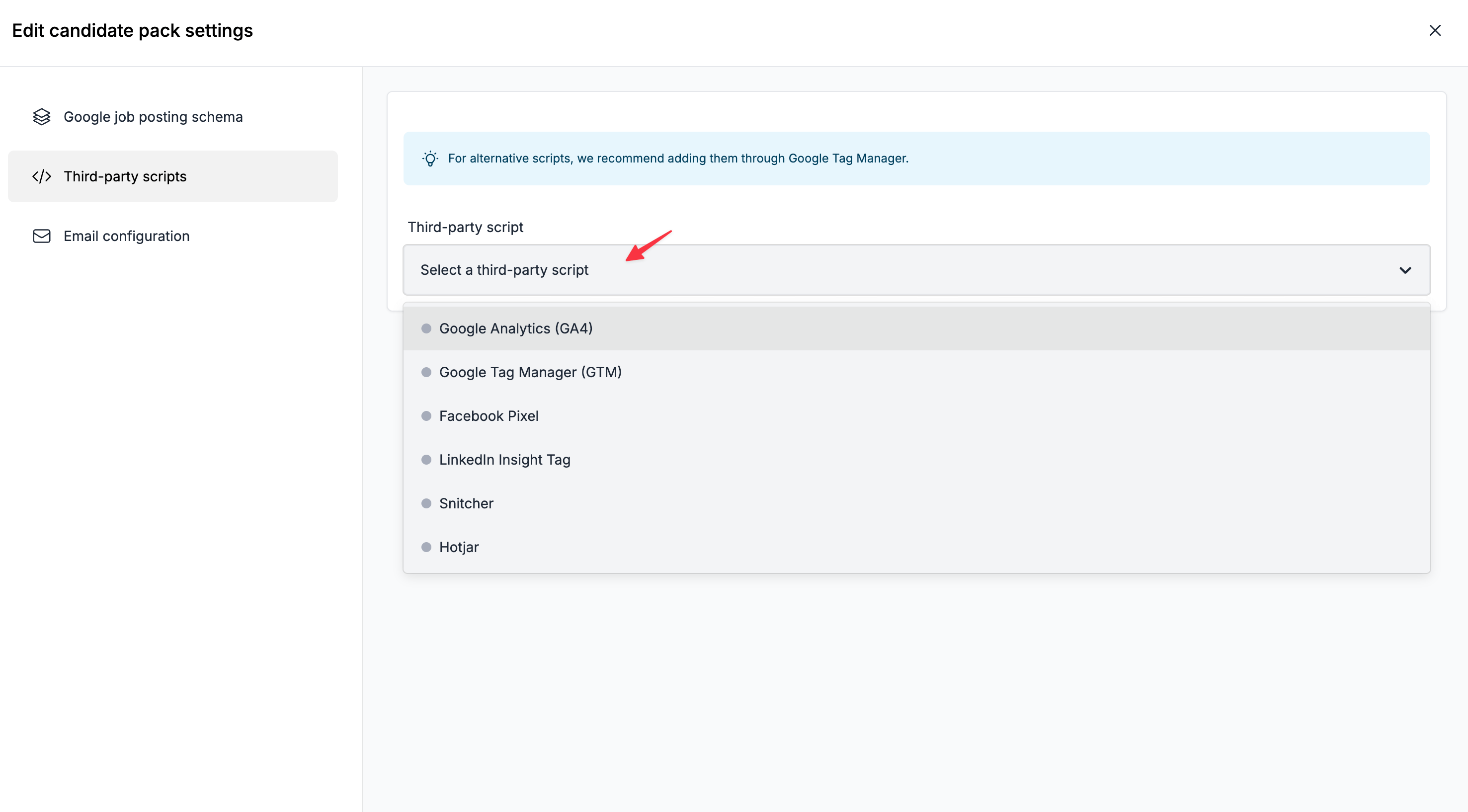
- Add the required identifier information (this will different from script to script)
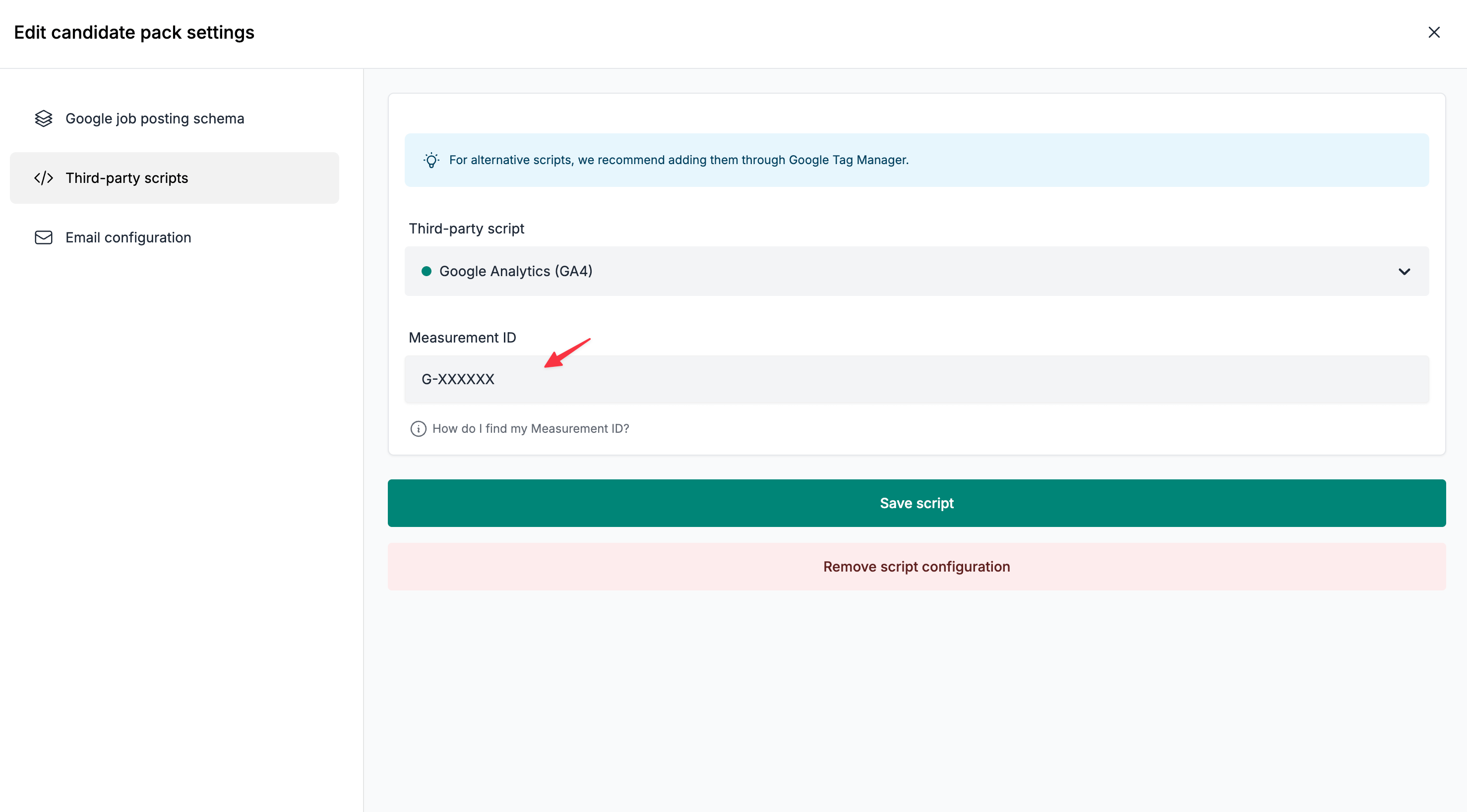
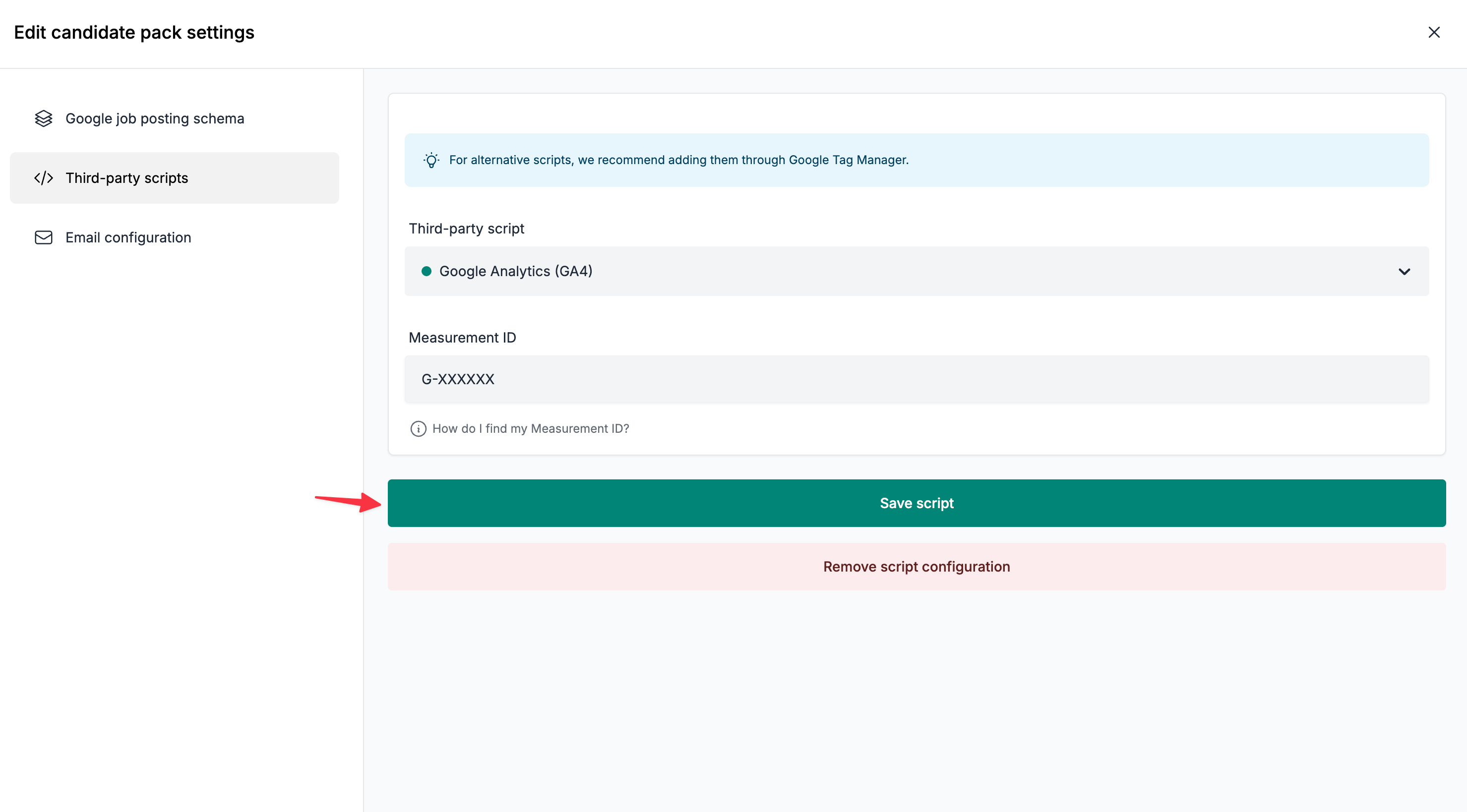
- Click the
Save scriptbutton
How to remove a third-party script?
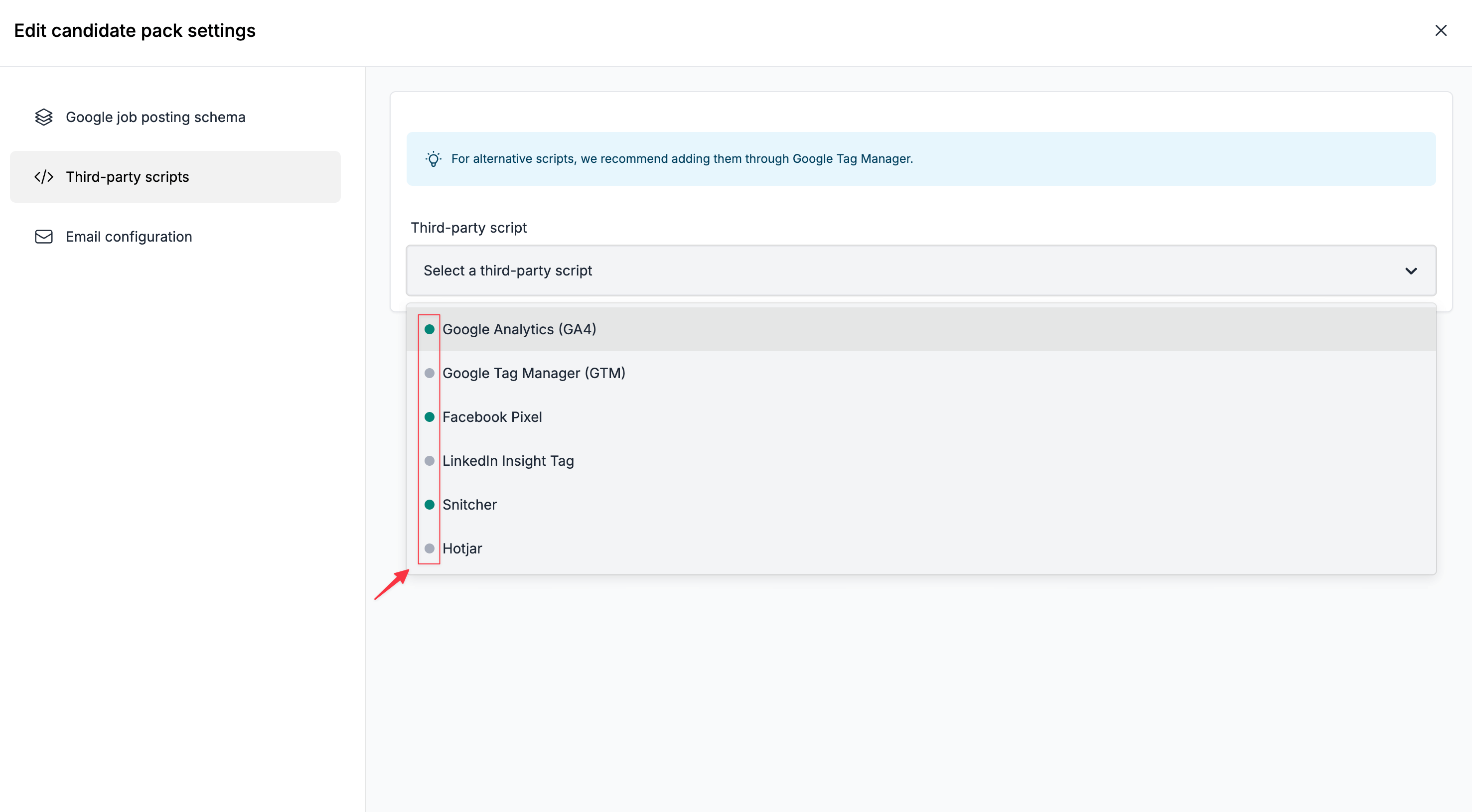
- Select an active script from the list (marked with a green status dot)
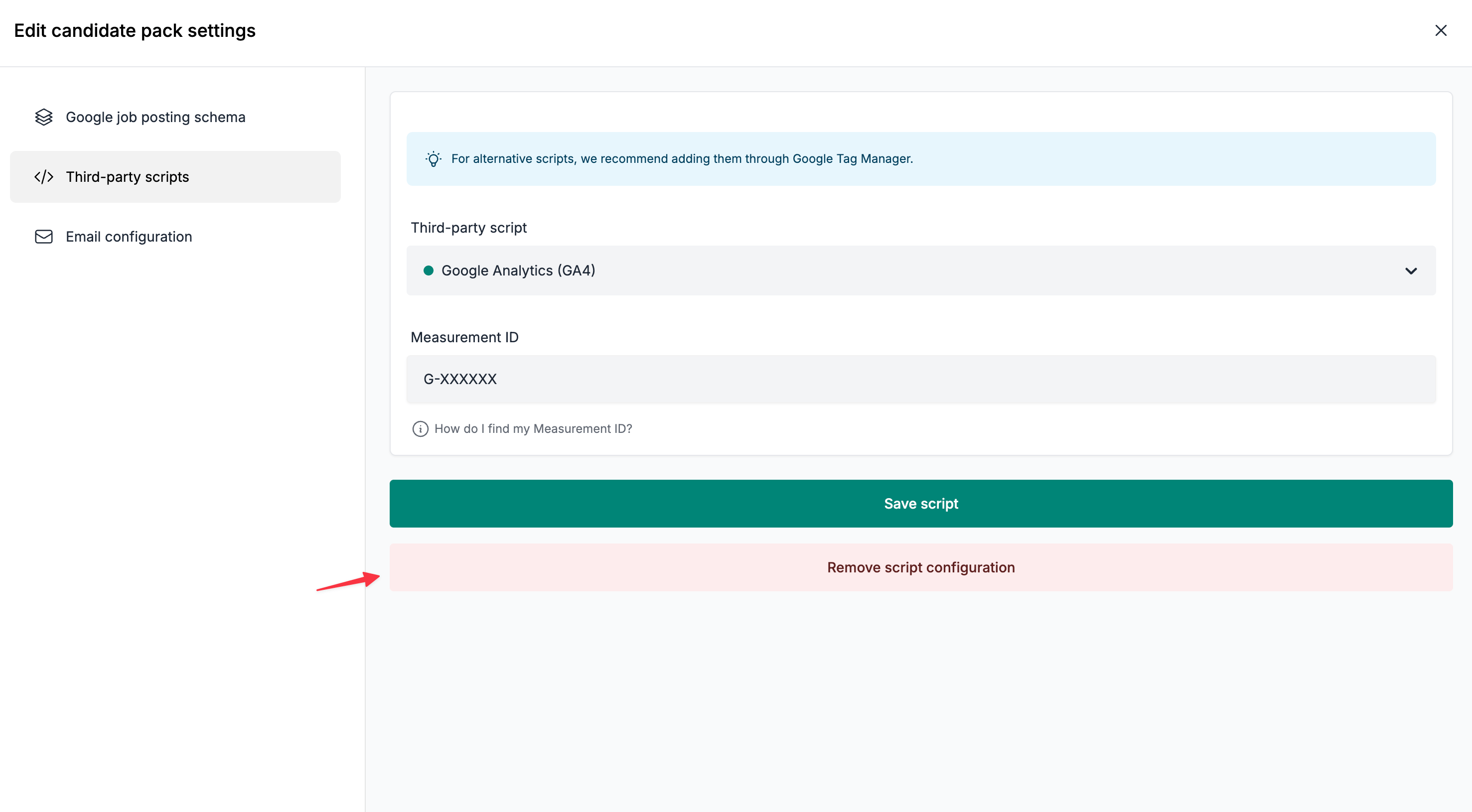
- Click the
Remove scriptbutton
Frequently Asked Questions
Q: Can I add other scripts?
A: For alternative scripts, we recommend adding them through Google Tag Manager.
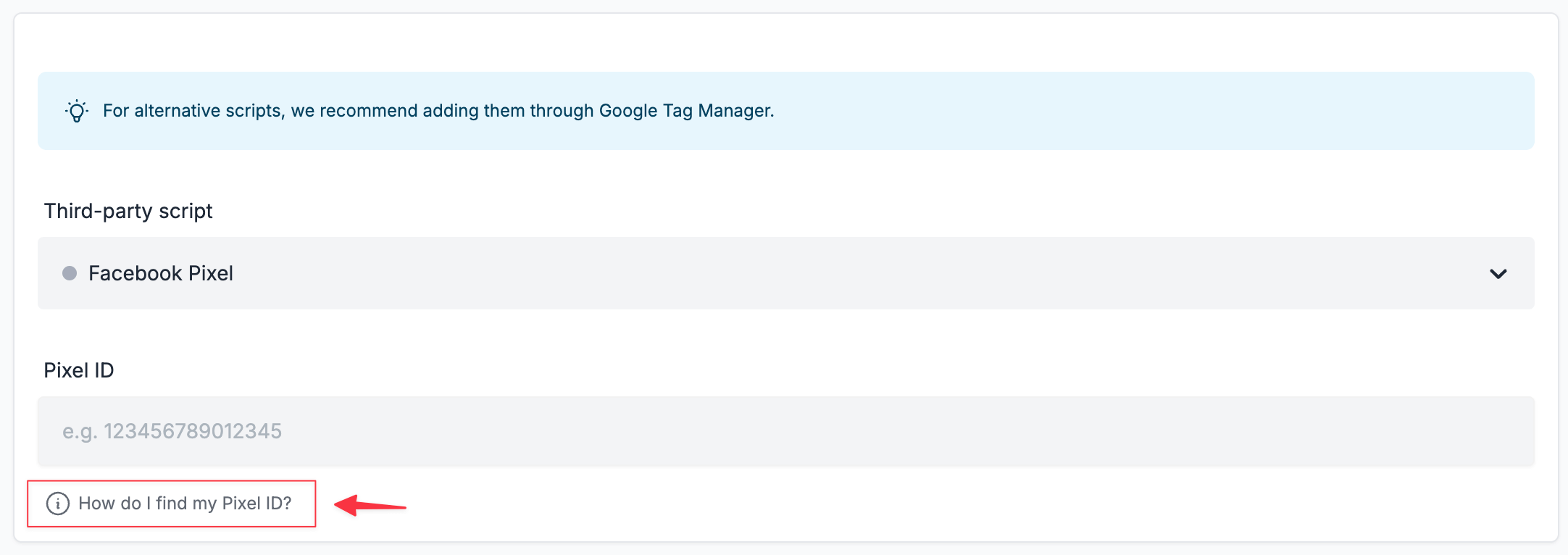
Q: Where can I find the identifiers like Measurement ID, Container ID, Pixel ID etc.?
A: This differs from platform to platform; however, we linked each field to an help article. This should point you in the right direction to grab this information. Alternatively a Google or a Youtube search will also reveal multiple guides around this topic.
Q: I am only given code snippets that I'm told I should be copying into my website header. Where should I paste these?
A: You'll only ever need the identifier (e.g. Meta Pixel ID, LinkedIn Partner ID, etc.). These identifiers are also surfaced usually in your dashboard. Alternatively, if you pay close attention to the code snippet that some platforms provide, you'll find the identifiers embedded there as well.
Q: Will you add support for copy/pasting scripts directly?
A: Perhaps in the future when there's higher demand for it. This kind of functionality implies implementing an additional layer of security (so that only certain custom code snippets are allowed). This is a complex system to implement which needs extremely thorough testing to avoid any bad actors in the system. Until this is implemented, you still have the option to add the most popular third-party tracking scripts, and you can still add custom ones through Google Tag Manager.