Individual candidate pack analytics
Stats are only available for published candidate packs
To access the stats for an individual candidate pack:
-
Navigate to the candidate packs listing page
-
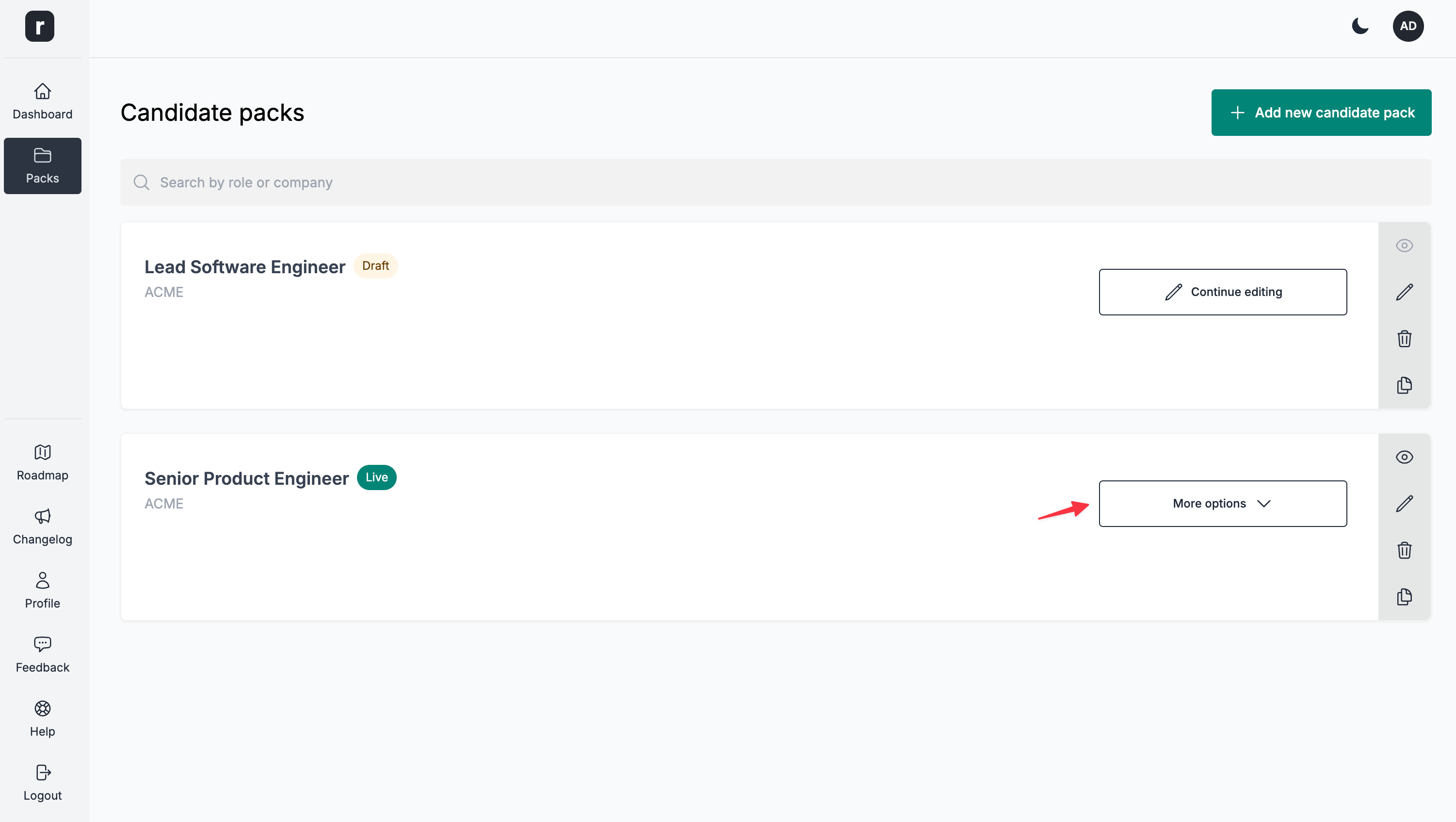
Click the
More optionsbutton on the candidate pack of your choice
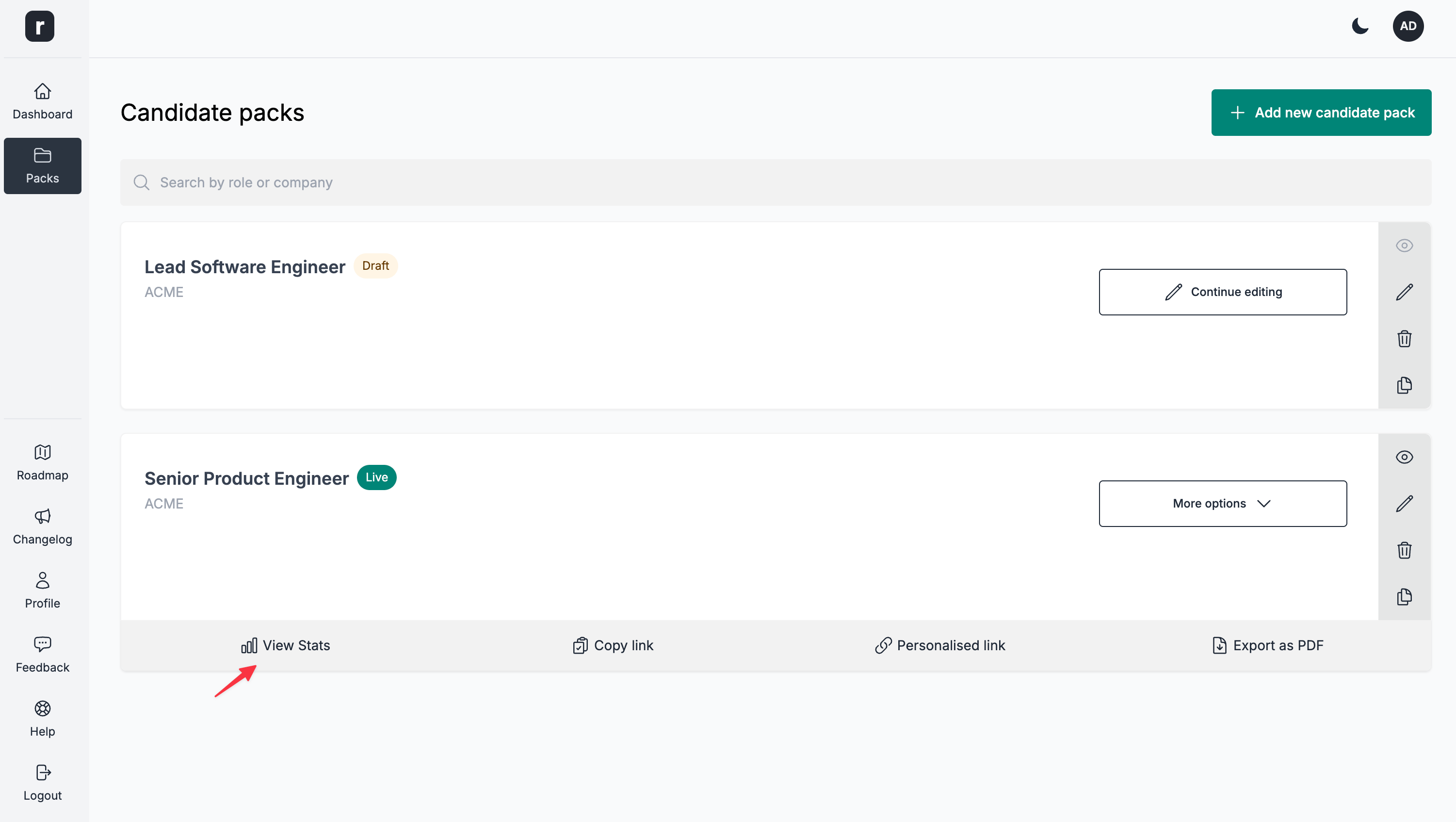
- Click the
View statsoption
Alternatively, you can also access this from the candidate pack editor page:
-
Navigate to the candidate pack editor page
-
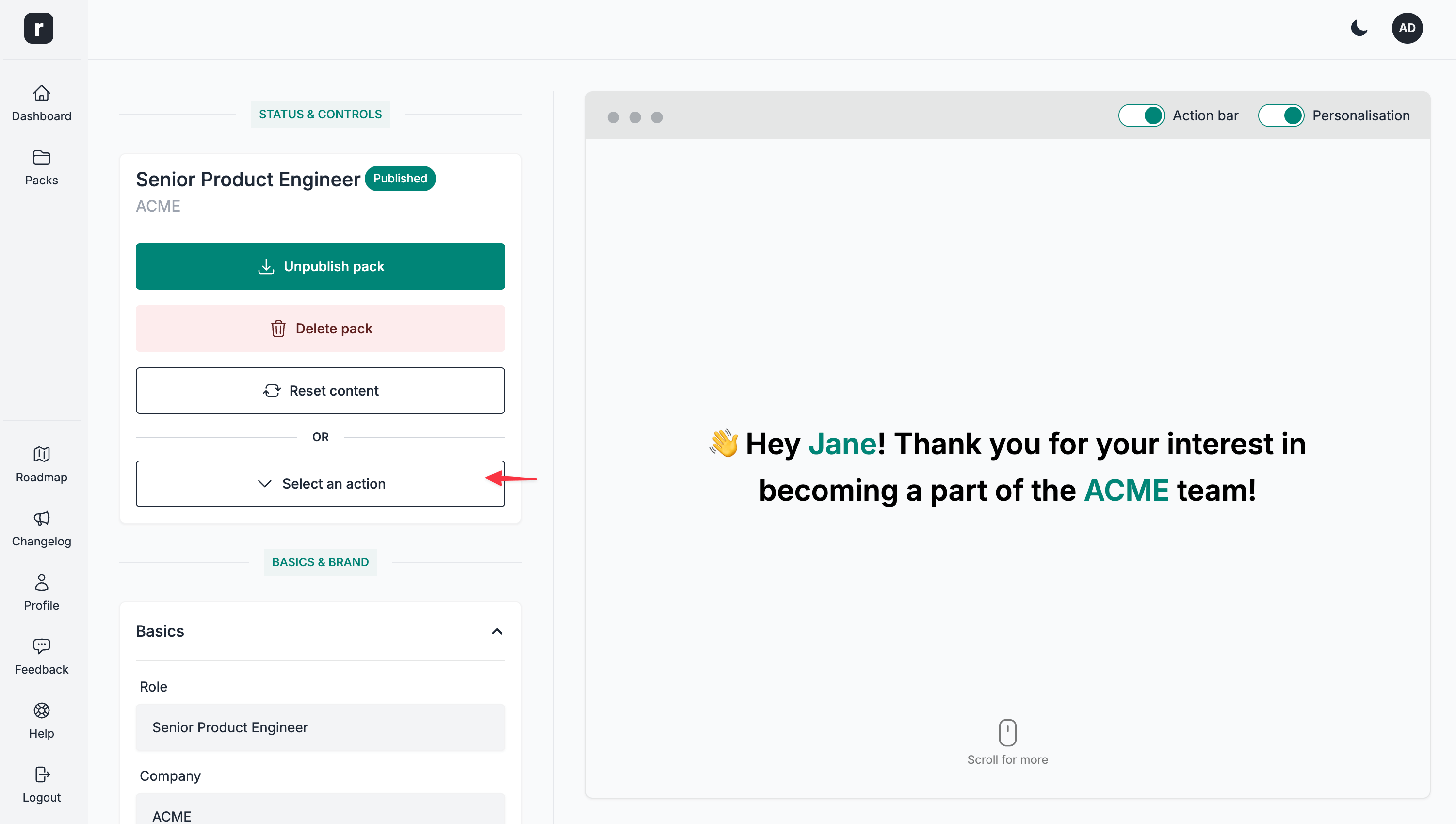
Click the
Select an actiondropdown
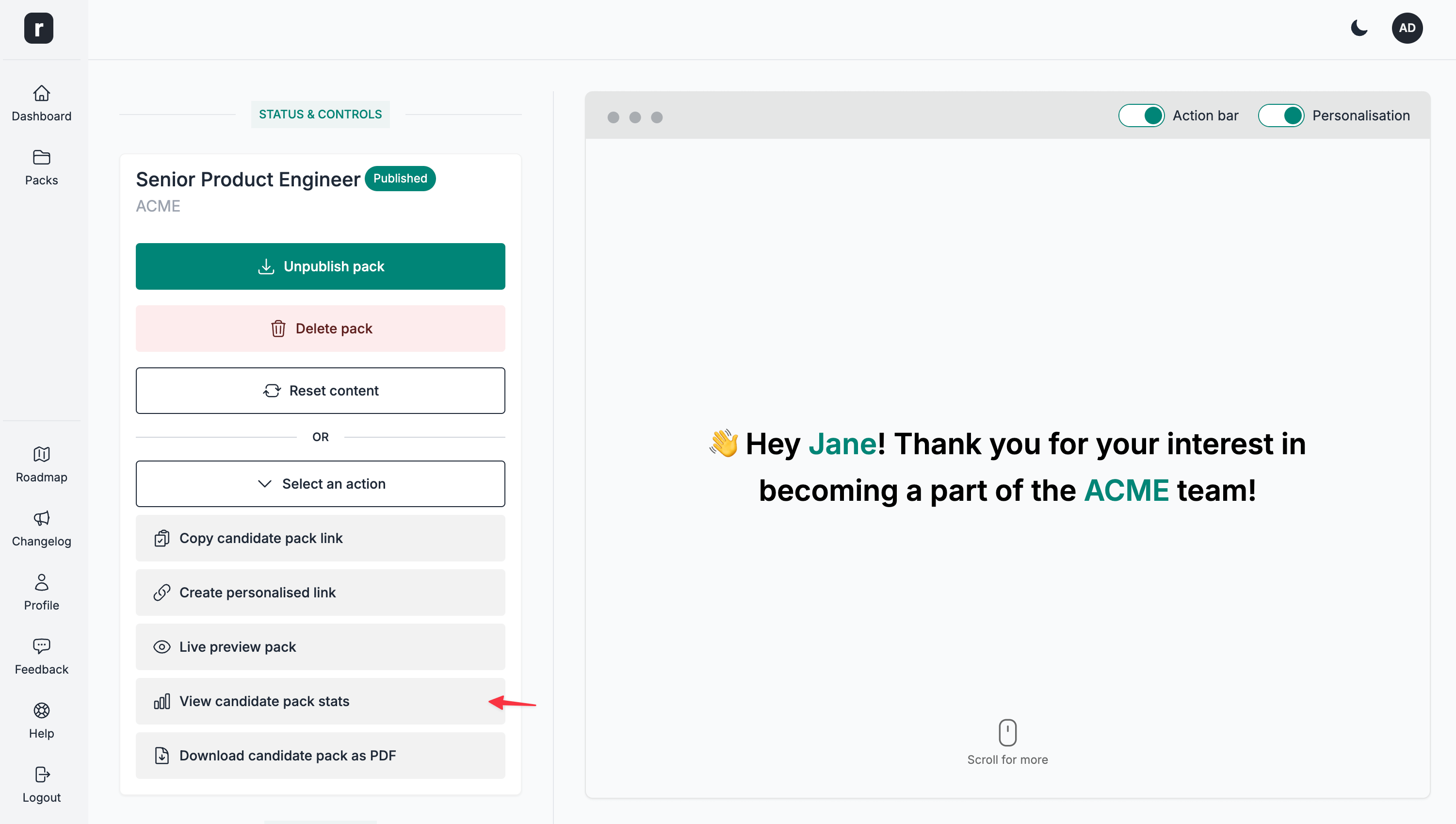
- Click the
View candidate pack statsbutton
Breakdown
The breakdown is identical to the Aggregated dashboard analytics, with the key difference being that this applies only for the selected candidate pack.
There is also an extra data point available when viewing the stats for a single candidate pack, as described below.
Reasons for declining
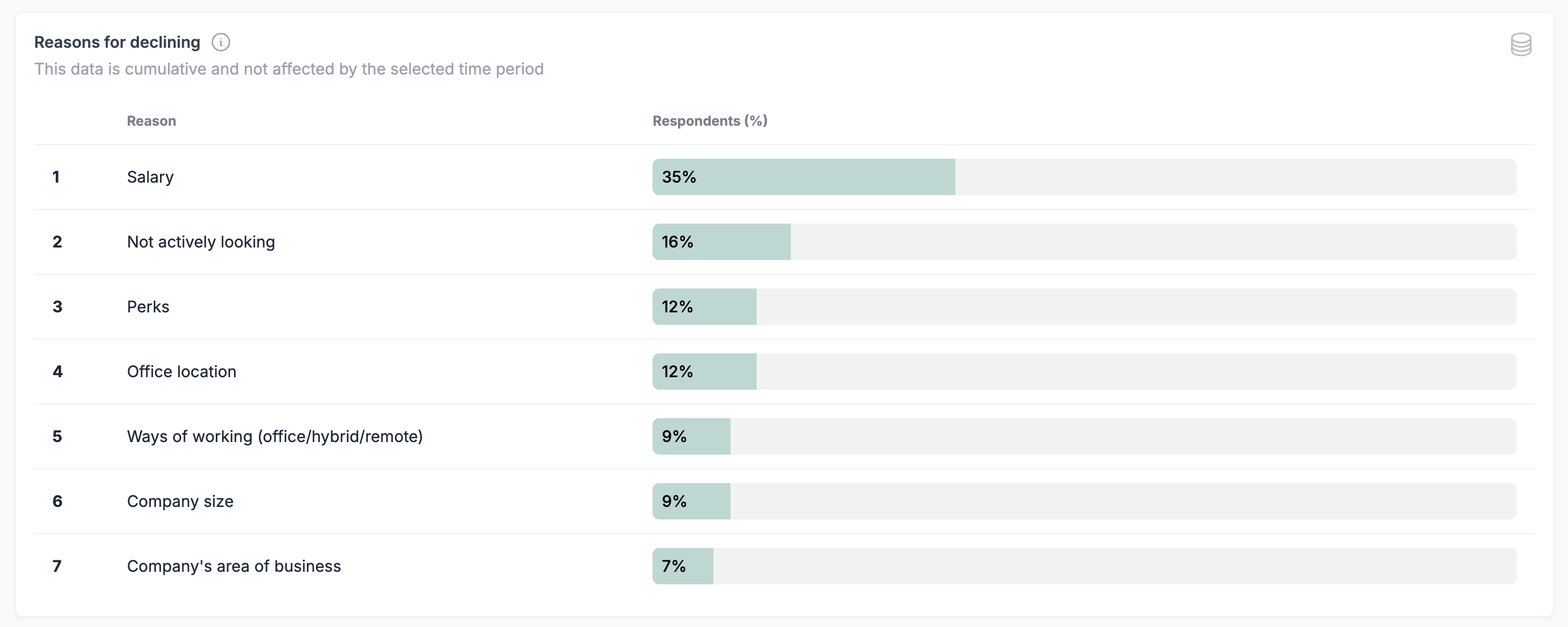
This data is cumulative and it is not affected by the selected time period
A candidate can select multiple reasons for declining. The ratios are calculated accordingly.
A list of all the decline reasons provided by candidates, for the given candidate pack. If you customise the labels for the decline reasons through the Form Editor, this table will reflect the changes.
