Een teamlid verwijderen
-
Ga naar de sectie Team van je instellingen.
-
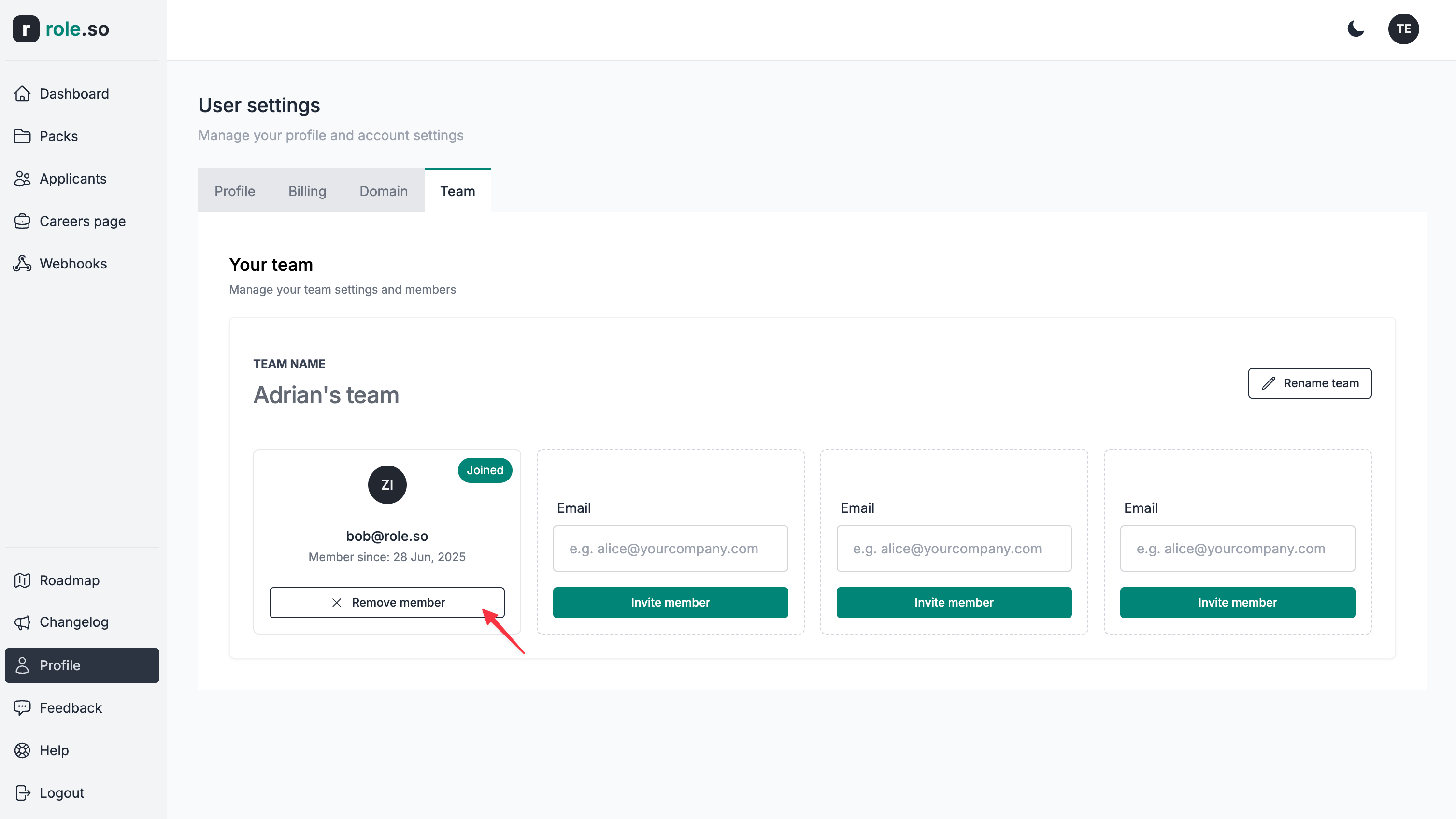
Klik bij het teamlid dat je wilt verwijderen op de knop
Lid verwijderen.
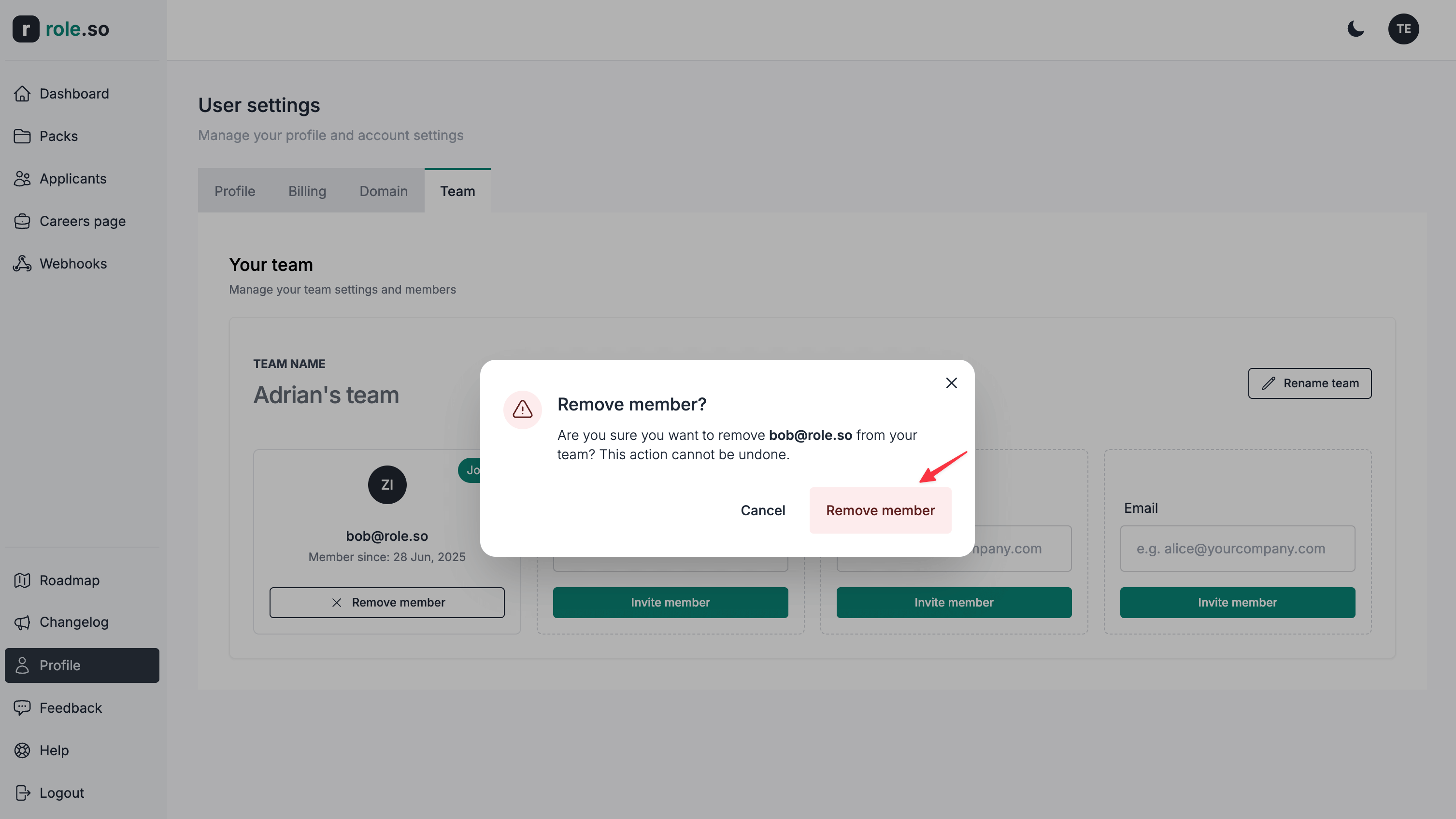
- Klik in het bevestigingsvenster op de knop
Remove member.
Nadat een teamlid uit het team is verwijderd, behoud je het volledige eigendom van alle inhoud die door dit teamlid is gemaakt.